
Turning a phone into a builder's level
What the bubble, the numbers, and the compass on this page are actually measuring, how accurate a phone sensor is compared to a real spirit level, and the zeroing trick that makes relative measurements useful.
What a spirit level does and why people still need one
A spirit level answers one question: is this surface horizontal? A glass tube filled with liquid has a single bubble trapped inside it. When the tube is perfectly level, the bubble sits between two marks in the center. Tilt the tube even slightly and the bubble drifts to the high end.
That question comes up more often than you might expect. Hanging a shelf, levelling the feet on a washing machine, checking a table before gluing it, setting the slope on a patio so rain drains away from the house. A real spirit level is the traditional tool, but it is a thing you have to own, find in the garage, and remember to bring with you.
A phone is already in your pocket. If it can give you the same answer, even roughly, you can check a surface right now instead of making a trip to the shed.
The sensors already inside your phone
Nearly every phone and tablet sold in the last ten years has a chip called an accelerometer. It measures how gravity pulls on the device, and from that it can work out which way is down. That is all a spirit level needs to know.
Many devices also have a magnetometer, which detects the direction of the earth's magnetic field. Combined with the accelerometer, it provides a compass heading. Not every phone has one, and even when it is present, the browser is not always allowed to read it. The page checks for it and tells you what it found rather than pretending.
Starting the level and the iOS permission step
Press Start the level. On most Android devices the bubble appears straight away. On iPhones and iPads, a permission dialog comes up first. Apple requires a deliberate tap before any web page can read the motion sensors. The reason is that a motion sensor can be used to build a fingerprint of the device, so Apple makes you opt in each time you visit.
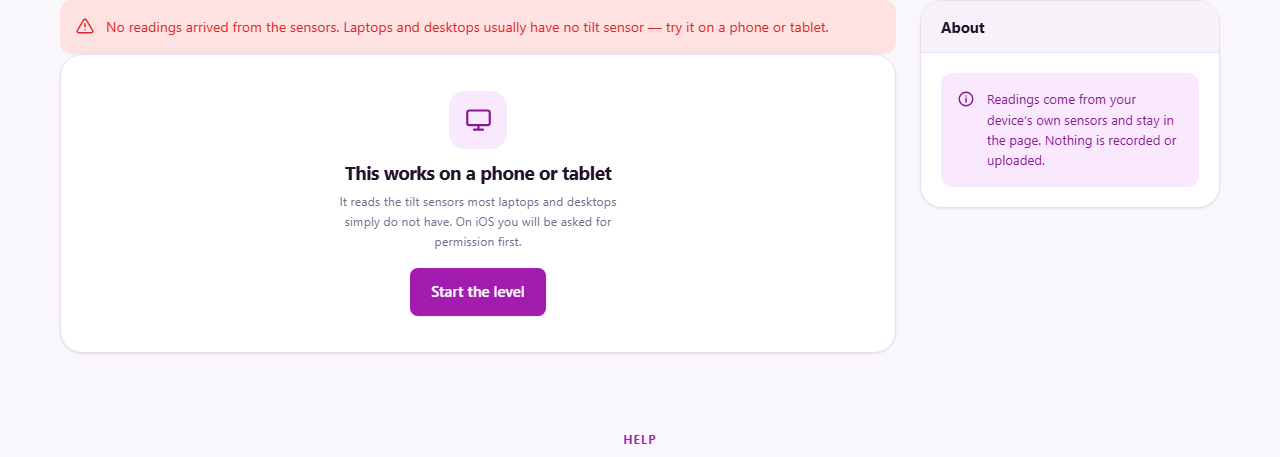
Laptops and desktops almost never have an accelerometer. If the page detects that the sensor is missing, it says so clearly rather than showing a bubble that sits frozen in the middle forever. A few convertible laptops do have the sensor, and on those the level works the same way it does on a phone.
Reading the numbers: pitch, roll, slope, and gradient
The bubble moves the way a real one would. It drifts left for a left tilt, drifts forward for a forward tilt. That is the visual check, the quick glance that says close enough or way off.
Alongside the bubble sit five numbers. Pitch is the forward and backward angle in degrees. Roll is the left and right angle. These are the two axes of tilt that together describe the full lean of a flat surface.
Slope is the same tilt expressed as a percentage. This is how builders and civil engineers specify drainage and ramp angles. A one-degree slope is roughly a one-point-seven percent grade. Gradient takes it one step further and writes it as a ratio like one in sixty or one in forty. If you are laying a patio at one in eighty fall, this is the number to watch.
A verdict line underneath says whether the surface is level, almost level, or noticeably tilted. It is a plain summary of the numbers, not a separate measurement.
Zeroing on a reference surface
Press Zero on this surface and the current tilt becomes the new zero point. Every reading after that is measured relative to whatever the phone was sitting on at that moment.
This is useful when you do not care about true horizontal. You want to know whether two shelves are parallel, or whether a table leg is shorter than the other three, or whether the new section of fence matches the old one. Zero on the first surface, move the phone to the second, and read the difference.
Press True level to go back to measuring against real horizontal whenever you need it. The zero is not saved. Closing the page or pressing True level removes it.
Relative zeroing is also the way to check whether a floor slopes. Put the phone at one end of the room, press Zero on this surface, then slide it slowly to the other end. The reading tells you exactly how much the far end rises or falls compared to where you started.
The compass and what throws it off
When the phone has a magnetometer and the browser is allowed to read it, a compass appears below the level. The needle points toward north and the heading is shown in degrees.
Not every device reports an absolute heading to a web page. iPhones generally do. Android phones are mixed. The page tells you whether the heading it received is absolute, meaning it points at magnetic north, or only relative, meaning it can track how far you turn but not which direction you started from.
The compass is easily thrown off by metal. A magnetic phone case, a speaker, a metal desk, and even a car dashboard mount all push the needle away from north, sometimes by tens of degrees. Move away from these things before trusting a reading. If the needle wanders slowly on its own, the magnetometer needs recalibrating. On most phones you do this by moving the phone in a figure-of-eight pattern in the air for a few seconds.
How accurate is a phone, and a quick way to check
A phone accelerometer is good to a few tenths of a degree once the device has settled and stopped vibrating. That is roughly the same accuracy as a cheap hardware bubble level from a hardware store. It is well short of a precision instrument used by a builder or surveyor, which reads to hundredths of a degree.
For hanging a picture, levelling an appliance, or checking a floor, a few tenths of a degree is more than enough. For setting the fall on a long drainage run where a fraction of a degree changes where the water goes, it is not. Know which job you are doing and how much error you can live with.
A quick self-check tells you how much your particular phone drifts. Take a reading, then rotate the phone a hundred and eighty degrees on the same surface and read again. On a truly flat surface, the two readings should be equal and opposite. If they are not, the gap between them is twice the phone's own offset. Half of that gap is the error you should expect on any single reading.
Practical tips that save a second trip
- Let the readings settle for a second or two before you trust them. The sensor vibrates for a moment after you set the phone down.
- Lay the phone flat on its back for a level check. Stand it on its long edge against a wall for a plumb check.
- Take the phone out of a thick case if you want the best contact with the surface. A case can hold the phone at a slight angle.
- Do not leave the phone on a running washing machine or dryer. The vibration confuses the accelerometer and the reading wanders constantly.
- If slope is the number you need, read that line directly rather than converting degrees in your head. The page does the arithmetic for you.
Sensor readings stay on your device
The accelerometer and magnetometer readings are handled entirely inside your browser. Nothing is recorded, and nothing is sent to any server. The page works the same way with no network connection at all.
You can verify this by turning on airplane mode, opening the page, and pressing Start the level. The bubble moves, the numbers update, and the compass points where it should. The phone is reading its own sensors and drawing the result on screen. There is nothing else involved.
No reading is logged or stored. Close the browser tab and everything disappears. There is no account, no history, and no file left behind.