
Measuring what happens between a click and the screen
What the browser can genuinely time about input latency, why a single sample tells you almost nothing, how to read the median and the spread, and where the measurement ends and the rest of the pipeline begins.
The gap you can feel but rarely measure
You click a button in a game. A moment later the character jumps. That moment has a length, measured in milliseconds, and it matters more than most people realise. Below about twenty milliseconds the response feels instant. Above forty it starts to feel sluggish. Above eighty it feels broken.
The trouble is that the gap between your finger and the pixel has many stages, and most of them are invisible to the software doing the timing. A web page can only see the part it owns: the time from the input event the browser recorded to the frame that painted the visible change. Everything before and after that, the mouse, the operating system, the cable and the display panel, is outside its reach.
Starting the measurement
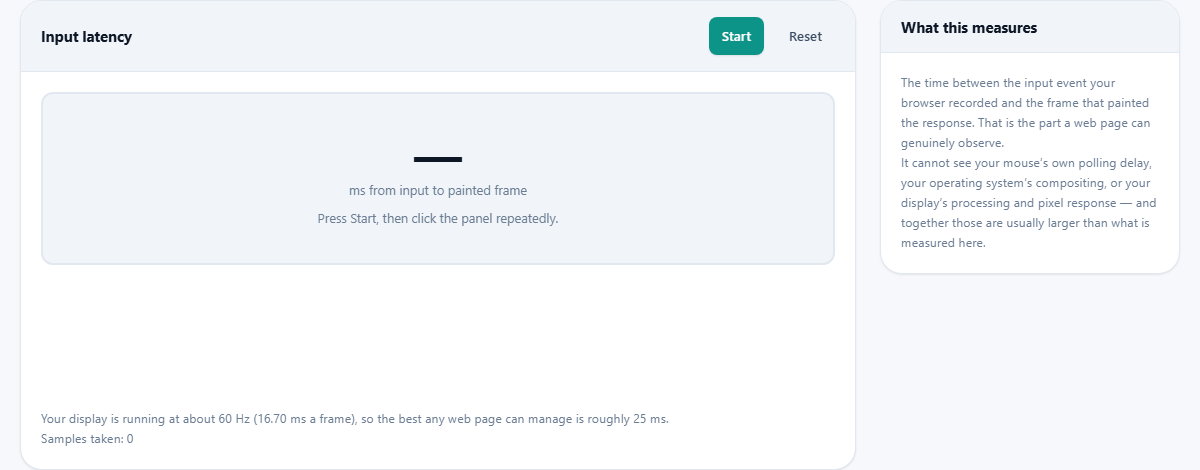
Press Start. The page first measures your display's frame rate by timing a short burst of animation frames. This matters because latency is only meaningful next to the frame interval. On a 60 Hz display one frame lasts about 16.7 milliseconds. On a 165 Hz display it lasts about 6 milliseconds. The best possible latency for a web page is roughly one and a half frame intervals, because the input has to wait for the next frame boundary and then that frame has to be composited.
Once the frame rate is known, the target panel turns active. Its colour changes with each sample to give you visual proof that the frame was painted.
Collecting samples
Click the panel or press the space bar. Each click records one sample: the time in milliseconds between the input event and the painted frame. A number flashes on screen and a bar appears in the histogram below. A counter keeps track of how many samples you have gathered so far.
One sample is almost meaningless. Your click arrives at a random point within the current frame. If it lands just after a frame boundary, you wait nearly a whole frame interval. If it lands just before the next one, you wait almost nothing. The variation is not noise from your setup. It is the fundamental way screens work. Every display refreshes in fixed cycles, and your input is not synchronised to those cycles.
Collect at least twenty samples. Vary the rhythm deliberately. Clicking in time with the refresh rate biases the result toward the best case, which is flattering but dishonest. Random timing gives you a fair picture of what a real interaction feels like.
Reading the results
Three figures appear in the statistics. The median is the middle value when all your samples are sorted. It is the typical case, the number that describes what usually happens. It is better than the average because a single slow outlier does not drag it up.
The 95th percentile is the value that only the worst five per cent of your samples exceed. It is the number you feel, because human perception latches onto the slow frames. A system where the median is 25 ms but the 95th percentile is 60 ms will feel inconsistent, even though most clicks are fast.
The spread tells you how far apart the fastest and slowest samples sit. A tight spread means the system is consistent. A wide spread means something is intermittently adding delay.
What the histogram shows
Below the big number sits a histogram. Each bar represents a bucket of latency values. Bars cluster around your display's frame interval, because that is where most samples land. A histogram that looks like a tight bell shape is healthy. One that has a long tail to the right, with a few scattered bars at high values, has something occasionally blocking the main thread.
The most common cause of a long tail is another browser tab doing work. Browsers share processing time between tabs in the same process. A heavy page somewhere else can steal time from this page without any visible sign here except the occasional slow sample.
What counts as a good result
At 60 Hz the floor is about 25 milliseconds. That is one and a half frame intervals: one frame of waiting plus the compositing step. Hitting that number means your browser is keeping up and the main thread is not being blocked by other work.
At 120 Hz the floor drops to about 12 milliseconds. At 165 Hz it is around 9. A higher refresh rate lowers the floor because each frame is shorter, and the maximum wait for the next boundary is shorter too. This is the main reason high refresh rate monitors feel more responsive, apart from the smoother motion.
If your median sits well above the floor, something is adding delay. Common causes include background extensions that inject scripts into every page, heavy tabs competing for the same thread, operating system compositor effects, and power saving modes that throttle the processor. Try eliminating them one at a time and re-running the test after each change to see which one was the biggest offender.
Why consistency matters more than speed
A steady 30 milliseconds feels better than a system that swings between 10 and 60. The brain adapts to a consistent delay. It learns to predict where the response will land and stops noticing the gap. An inconsistent one breaks that prediction and every slow frame feels like a stutter.
If your spread is wide, the problem is not your hardware being slow. It is something interrupting the page at random moments. Close all other tabs. Disable extensions. Check whether a system process is running in the background. Each one you remove should tighten the spread.
What this does not measure
The measurement ends at the frame the browser hands to the operating system. Everything after that is invisible from here. Your mouse's own polling interval adds up to a millisecond. The operating system's compositor adds several more. The cable between the computer and the monitor adds a fraction. The display's own processing adds anywhere from five to thirty milliseconds depending on the panel and its mode.
A monitor's advertised response time, often quoted as one millisecond, refers to grey-to-grey pixel transition speed. It says nothing about how long the panel waits before it starts drawing the frame. That processing delay is the larger number, and measuring it needs a high speed camera pointed at the screen. No web page can substitute for that.
What this page can tell you is whether the browser's part of the pipeline is clean. If the number here is at the floor, any slowness you feel in a game is coming from somewhere else in the chain.
Mouse versus keyboard
Both are measured the same way. Comparing them is worth trying. On some systems, keyboard events arrive on a slightly different path through the operating system and the difference shows up in the spread rather than the median. A mouse click goes through the USB HID driver, the cursor subsystem and then into the browser. A key press takes a shorter route on some platforms.
A 1000 Hz gaming mouse saves at most a millisecond of polling delay compared to a standard 125 Hz mouse. That is real, but it is small next to the frame interval. Polling rate barely moves this number. Refresh rate moves it a lot.
Preparing for a clean measurement
- Close every other tab. A video playing in a background tab can add tens of milliseconds to the worst case.
- Disable browser extensions, especially ad blockers that inject scripts into pages.
- Make sure the computer is plugged in and not in a power saving mode that throttles the processor.
- Let the machine settle for a minute after opening the page. Background tasks from the page load can skew early samples.
- If you use a laptop, make sure the display is running at its highest refresh rate. Some laptops default to 60 Hz on battery.
Nothing about your inputs leaves the page
Every timing measurement happens locally in your browser. No click data, no hardware profile and no result is sent to a server. The page runs without any network connection at all once it has loaded. You can disconnect, press Reset and keep collecting samples without losing anything. There is nothing on the other end to talk to.