
Auditing the response headers a server actually sends
Every page your server delivers carries a set of invisible instructions that tell the browser what to allow and what to block. Most teams set them once and forget them. This article walks through what the Security Header Auditor checks, how to read its verdicts, and how to act on the corrected headers it writes for you.
Why headers deserve a regular check
A content security policy that was tight when it shipped picks up exceptions during every rushed deadline. Someone adds a third-party widget, the quickest fix is a new source in the allow list, and six months later the policy permits half the internet. The transport security header might still say a month instead of a year. The old cross-site scripting filter header might still be switched on, even though the filter has been removed from every current browser and the last one to have it could be abused through it.
The problem is that none of these show themselves. A weak policy does not break the page. A missing header produces no error message. The only way to know is to read what the server sends and compare it against what it should send. That is the job this tool does.
Getting headers into the input pane
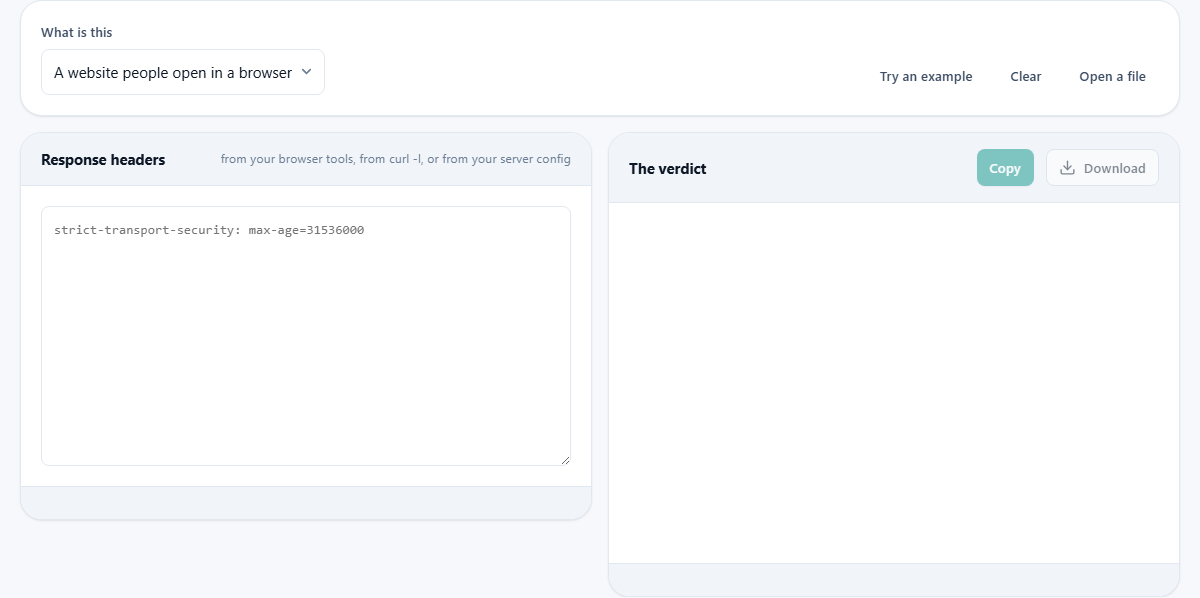
Paste the response headers into the left pane labelled Response headers. The tool accepts several common shapes. You can copy the block straight from the network panel in your browser tools: click the first request, look at the response headers section, and paste it. Output from a command-line fetch works just as well. Lines that start with HTTP/ are ignored, so you do not need to strip the status line. If a curl verbose dump is pasted, the tool skips the request lines that start with > and reads only the response lines.
You can also paste from a server configuration file if the format is close enough: one header name, a colon, then the value. The Try an example button fills the input with a realistic set that has several deliberate weaknesses for you to see how the verdicts look.
Website or service: choose the right mode
The dropdown labelled What is this has two choices: a website people open in a browser, and a service other programs call. The distinction matters because the right set of headers is different for each. A website needs permissions policy, frame options and opener policy because a browser acts on them. A service that only talks to other programs has no use for any of those, but it does need cache control set to no-store so that a reply carrying somebody's private data does not end up in a shared cache.
Picking the wrong mode is how a JSON endpoint ends up graded against rules designed for a page with a document and scripts. The audit skips the checks that do not apply to the mode you choose.
Reading the verdict table
The output starts with a summary panel. Every header that was checked appears in a table row with a verdict of good, weak, missing, or a problem. Each row includes a short reason explaining why it got that grade. Good means the header is present and set to a sensible value. Weak means it is there but could be tighter. Missing means it is not present and should be. A problem means the value actively hurts: an example is the cross-site scripting filter set to anything other than zero, because the filter itself could be abused.
At the top of the panel, a one-line summary counts the issues: how many are good, how many are weak, and how many are missing or wrong. That count is a quick health check you can screenshot for a report.
The content security policy breakdown
When a policy header is present, a second panel appears below the summary. It lists every directive in the policy alongside its source list, then adds specific warnings and approvals. The warnings are precise because the tool follows the fallback chain. Most directives fall back to default-src when they are missing, so a policy that says only default-src 'self' appears to cover everything. It does not. Four directives have no fallback at all: base-uri, form-action, frame-ancestors and sandbox. Leaving them out means they are entirely unrestricted, no matter what default-src says.
The breakdown calls out each of these. It also flags the single most common mistake: allowing unsafe-inline for scripts. Inline script permission means the browser cannot tell your script from an attacker's injected script, and the whole point of the policy collapses. If a nonce or hash is also present, the tool notes that current browsers ignore the inline permission in that case, but older ones do not.
A worked example from the sample headers
Click Try an example. The sample includes a strict transport security header with a max-age of only thirty days, a content security policy that allows unsafe-inline for scripts, the old xss-protection header set to block mode, a powered-by header announcing the exact server version, and a session cookie with no Secure, HttpOnly or SameSite flags.
The verdict table marks transport security as weak because thirty days is below the recommended six months. The policy is flagged because unsafe-inline with no nonce means injected script runs freely. The xss-protection header is marked as a problem: the filter no longer exists in any current browser, and the recommendation is to send zero or remove the header entirely. The cookie warning explains that a session cookie without HttpOnly can be read by any script on the page, which is the exact thing a cross-site scripting flaw is worth to an attacker.
Below the table, the corrected header block lists only the lines that need changing. Transport security is rewritten with a year and includeSubDomains. The policy keeps your existing source lists but removes the inline permission and adds the missing directives. That is the block you copy into your server configuration.
The corrected headers and how to apply them
The panel at the bottom, titled What to send instead, contains the headers you should copy. The Copy and Download buttons give you this block. Only the headers that need changing appear. Your own source lists are carried through untouched, because nobody but you knows which hosts your pages load from.
Before applying a new or changed content security policy to a live site, deploy it in the report-only header first. That header records what the policy would have blocked without actually blocking it. Read the violation reports for a week. A policy that breaks your own site gets taken off the same afternoon, and then nobody dares try again. The report-only approach lets you find the gaps before real visitors hit them.
Headers the tool watches that people often overlook
Beyond the obvious ones, the audit checks referrer policy, permissions policy, the opener policy, the resource policy and any version-revealing headers. The referrer policy controls how much of the current address is shared when a visitor clicks a link to another site. The unsafe-url value sends the full address including the query string, which is how password-reset links have leaked in the past.
Permissions policy governs which browser features a script on your page may request. Without it, an injected script can ask for the camera or the microphone. The server and version headers are checked for version numbers. A header that says the exact software and version is not a direct vulnerability, but it turns a broad scan into a targeted one, because the attacker now knows which specific flaws apply.
- Referrer policy: set strict-origin-when-cross-origin or tighter.
- Permissions policy: deny camera, microphone and geolocation at minimum.
- Server version headers: remove the version number, keep the name if you like.
What the tool does not check
The audit reads the text you paste. It cannot fetch your site, which means it cannot verify that the headers arrive over HTTPS, that the redirect from HTTP to HTTPS is in place, or that every subdomain serves the same set. It also cannot test a new policy against your live pages to see what would break. For that step, the report-only header deployed on your own real server is the right answer.
Everything runs in your browser and nothing is sent anywhere. You can paste the headers from a staging server, an internal machine behind a firewall, or a configuration file that is not live yet, and the audit works the same way.