
Reading stored passwords and the secrets they carry
A database dump or a leaked configuration file lands on your desk, full of strings that look like line noise. This article explains what the Hash Identifier tells you about each one, how to read the settings it pulls out, and what those settings mean for the people whose passwords are behind them.
Two jobs, not one
The tool handles two problems that look alike but work in completely different ways. The first is a stored password that starts with a dollar sign. That string was built to be self-describing: the method, the cost, the salt and the digest are all written into it in separate fields, and each field can be read exactly. The second is a bare string of letters and numbers with no structure at all. A thirty-two character hexadecimal string could be MD5, or NTLM, or MD4, or something else entirely, and the string itself holds no clue. The tool is honest about the difference. Fields that are read are labelled as certain. Candidates that are ranked by how often they appear in practice are labelled as guesses.
That honesty matters. Plenty of identification tools pick the most common candidate and state it as fact. This one lists every algorithm that produces the same length and shape, because telling you it is MD5 when it is actually NTLM leads to an investigation that chases the wrong thing for hours.
What to paste and where
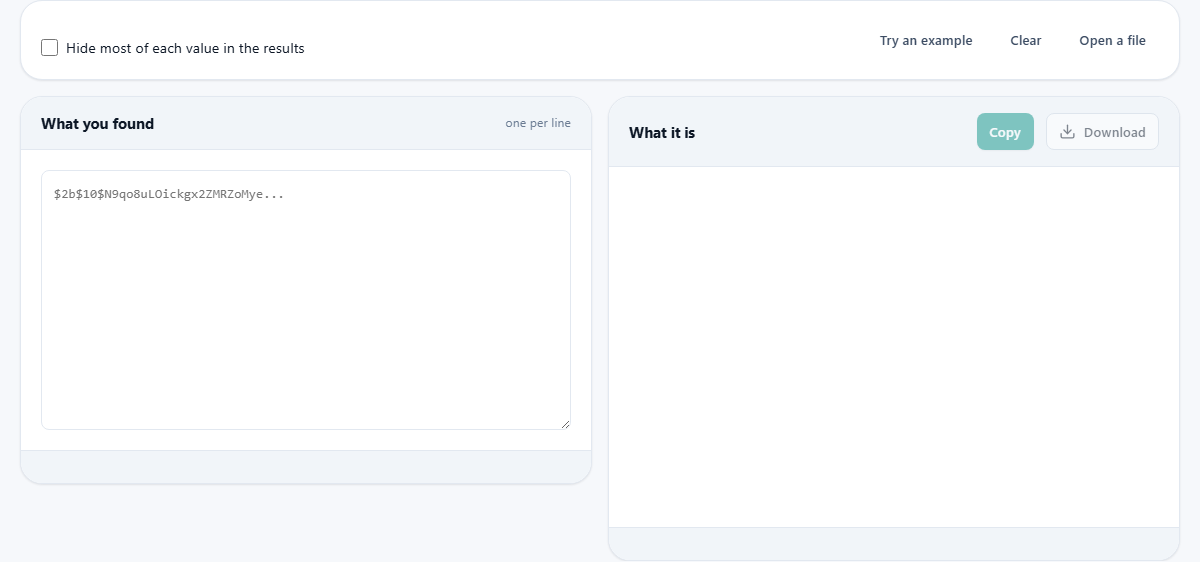
Type or paste into the left pane, one value per line. You do not need to strip surrounding fields first. Lines from a shadow file, a directory export or a hash list are accepted whole: the tool finds the field that looks like the hash and works on that, ignoring the user name and anything else around it. Lines that start with a hash character are skipped, which lets you paste a commented file without cleaning it.
The Open a file button reads a file from your device without uploading it. That is the faster path when you have a large dump. Up to five hundred lines are accepted in one pass. If you have more, split the file and paste sections separately.
The Hide most of each value in the results checkbox shortens the hash in the output to its first twelve characters followed by the total length. That is useful when you are sharing a screenshot or a report and do not want the full stored value on display.
The settings table and verdict
For every recognised line, a panel appears on the right with the algorithm name, a confidence label, a plain summary, and a table of fields. The fields change depending on the algorithm. A bcrypt entry shows the variant, the cost, the salt and the digest length. An Argon2 entry shows the memory, the number of passes, the parallelism, the salt size and the digest size. Every field is explained in the terms a person who is not a cryptographer would use.
Below the table sits a verdict. The verdict compares what it found against current published guidance and says whether the settings are adequate, weak, or dangerously low. For bcrypt, that guidance is a cost of twelve. For PBKDF2, it depends on the inner function: six hundred thousand rounds with SHA-256, or one point three million with SHA-1. For Argon2, the minimum is nineteen megabytes of memory with two passes, or forty-six megabytes with one. These numbers come from the same source most security teams reference.
A worked example with a bcrypt hash
Click Try an example and the input fills with seven values, each a different format. Look at the first line. It begins with $2b$10$, and the output names it bcrypt, variant $2b$, with a cost of ten. The verdict warns that ten was the standard minimum for years and is no longer generous, and recommends raising it to twelve.
The cost field says 2^10 = 1,024 iterations of the key setup. Moving to twelve doubles the work twice, reaching 4,096 iterations. That four-times increase does not slow a single login by a noticeable amount, but it slows a brute-force run by four times as well, which is a real difference across millions of guesses.
Now look at the fourth line. It is 5f4dcc3b5aa765d61d8327deb882cf99, thirty-two hexadecimal characters. The output lists MD5, NTLM, MD4, RIPEMD-128 and MD2 as possibilities. It cannot tell which is right, and it says so plainly. If you know the value came from a MySQL database, it is almost certainly MD5. If it came from a Windows machine, NTLM is far more likely. The tool explains this context in the notes beneath the candidate list.
Why the cost number doubles
Bcrypt states its cost as a power of two. A cost of four means sixteen rounds; a cost of twelve means four thousand and ninety-six. Every step up doubles the work. That means the jump from ten to twelve is four times harder, not twenty percent harder, and the jump from four to twelve is two hundred and fifty-six times harder. People assume the numbers are a simple scale and think twelve is three times the work of four. It is nothing like that.
This has a practical consequence for any migration plan. If your stored passwords use a cost of eight, moving to twelve makes each login check sixteen times slower. On a fast server that might mean going from two milliseconds to thirty-two milliseconds, which nobody notices. On a busy server with a slow disk, the answer might be different, and timing a real login before choosing is the right step.
Bare digests and what they cannot tell you
A bare hexadecimal string of the right length gets a panel listing every known function that produces that many bytes. Sixty-four characters might be SHA-256, SHA3-256, BLAKE2s or Keccak-256, and all four produce output that is identical in shape. Only the context you brought with you can break the tie.
The tool also recognises base-64-encoded digests, which appear in many configuration files and tokens. It decodes the length, guesses the function from the byte count, and applies the same warning as for hexadecimal: no salt, no cost, attackable at full hardware speed. If the value has three parts separated by dots, the tool recognises it as a JSON web token and notes that anyone holding it can read everything inside it, because signing proves the contents were not changed but does not hide them.
Less common formats and edge cases
Several formats that turn up in production are supported beyond the well-known ones. Stored passwords from PHP applications using the phpass portable hash start with $P$ or $H$ and are identified with their iteration count decoded. LDAP directory values wrapped in braces like {SSHA} are read, with the salt size calculated from the difference between the total encoded length and the expected digest length. MySQL 4.1 password values that start with an asterisk are flagged for what they are: two passes of SHA-1 with no salt, meaning any two users who chose the same password produce the same stored value.
If the string starts with a dollar sign but the identifier between the first two dollars is not one the tool knows, the output says so and suggests searching for that identifier. This is better than silence, because an unfamiliar format is still useful information: it tells you the system was at least trying to use a modern storage scheme.
Mistakes that lead people astray
The most common error is trusting a length match as a certain identification. Thirty-two hexadecimal characters narrow the list to five or six algorithms, and that is all. The second is confusing the verdict about settings with a verdict about individual passwords. A bcrypt hash at cost twelve meets current guidance, but if the password behind it is a dictionary word, the hash falls in a few seconds regardless.
A third mistake is assuming that a higher cost is always better without measuring. Argon2 with three hundred megabytes of memory and ten passes is very strong, but if the login server only has five hundred megabytes for the whole application, that one hash check stalls everything. The right approach is to pick the strongest settings the hardware can sustain under peak load.
- Length alone cannot identify a bare digest. Always state the context.
- A strong algorithm does not rescue a weak password.
- Measure the real time of a single login check before raising the cost.
Where it runs and what it does not do
Everything runs in your browser. Nothing you paste is sent over the network, which is important because the values you are pasting may be live stored passwords from a real system. There is no word list, no guessing loop and no lookup table anywhere on the page. It reads the shape of what you give it and explains what it finds. That is the whole of it.
If you need to actually crack a password to prove a point in an audit, this is not the tool. It tells you what was used and whether the settings are strong enough, which is the question that matters for a policy review: are the stored passwords survivable if the file is stolen?