
Porting markup from HTML to React without the busywork
Every attribute rename that JSX demands, why the converter uses the browser's own parser rather than regular expressions, what the component wrapper does, and where the real work begins after the conversion is done.
Why HTML does not paste straight into React
JSX looks like HTML, but it is JavaScript. That means a handful of words that HTML uses freely are reserved in JavaScript and must be spelled differently. class becomes className. for becomes htmlFor. tabindex becomes tabIndex. Each change is tiny. Across a full page there are dozens of them, and missing even one stops the build.
Beyond the reserved words, JSX has its own conventions. Inline styles are objects, not strings. Void elements like input and br must have a closing slash. SVG attributes that use dashes need camelCase instead. HTML comments break the parser entirely and must be rewritten as JavaScript block comments.
None of this is hard. All of it is boring. It is the kind of work where you make a mistake on the thirty-seventh attribute because the first thirty-six went fine and your attention wandered.
Pasting HTML in
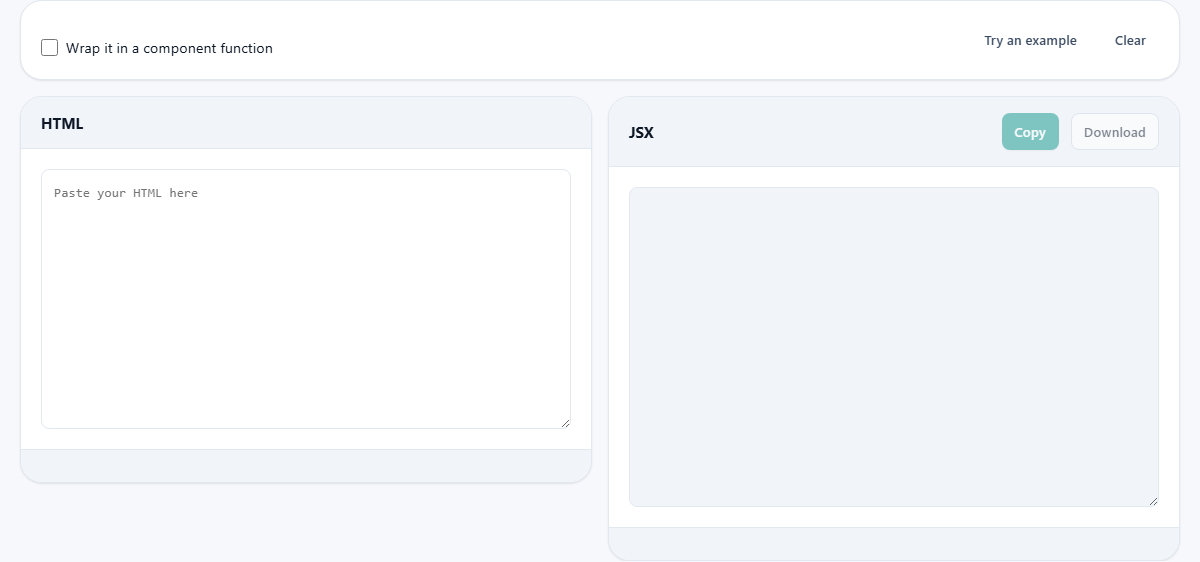
The left panel is labelled HTML. Paste anything from a single div to a full page with a head and a body. The converter handles both. A fragment with no wrapper element is fine too.
Try an example fills the input with a piece of HTML that shows off several of the changes: a class attribute, an inline style, a void tag, and an SVG icon. Clear empties both sides.
The source does not have to be tidy. Most real-world HTML is copied from a working page, a template marketplace, or a designer's handoff. It arrives with inconsistent indentation, old-style attributes, and sometimes tags that are not properly closed. The converter accepts all of it because it relies on the browser's parser, not on the markup being perfect.
What changes in the output
The right panel is labelled JSX. As soon as there is HTML on the left, the converted output appears on the right. Here is what it touches.
Attribute renames. class to className, for to htmlFor, and every other name that clashes with a JavaScript keyword or that JSX spells differently. data-* and aria-* attributes keep their dashes because JSX makes an exception for them by design.
Style objects. An inline style like style="padding: 16px; background-color: red" becomes style={{ padding: '16px', backgroundColor: 'red' }}. Every CSS property is camelCased. Every value becomes a quoted string. CSS custom properties that start with two dashes are kept in their original form.
Self-closing void tags. HTML allows a bare input with no slash. JSX does not. The converter adds the slash to every void element.
SVG attributes. An icon pasted from a design tool comes with stroke-width, fill-rule, clip-path, and others that all need camelCase. Missing one of these in a large SVG is easy. The converter handles the full set.
Comments. HTML comments are not valid inside JSX. They are rewritten as {/* ... */} so the content is preserved and the syntax is correct.
Brace escaping. Curly braces mean interpolation in JSX. If the original HTML has literal braces in its text, they are wrapped so they display as characters rather than being read as code.
Event handlers become stubs
An HTML onclick="doThing()" is a string of code that the browser evaluates. JSX wants a function reference. The converter writes onClick={() => /* doThing() */} with the original call in a comment. Nothing is silently dropped, but nothing pretends to work either.
This is deliberate. An event handler that fires real side effects from an automatic conversion is dangerous. The stub tells you exactly where you need to come back and write the real behaviour yourself.
The same treatment applies to every inline handler: onchange, onsubmit, onmouseover, and so on. Each one is renamed to its camelCase form, and the old code sits inside the comment block waiting for you to decide what to do with it.
The component wrapper
Tick Wrap it in a component function and the output becomes an exported function that returns the markup. The function is named after the first meaningful element it finds, giving you a starting point for the component name. If the HTML has several root elements, they are wrapped in a React fragment.
This is a convenience for a common next step. Once the JSX is inside a function you can add props, state, and hooks without rearranging anything. If you are pasting into an existing component, leave the checkbox off and copy just the markup.
Parsed by the real HTML parser
The conversion does not use regular expressions to find and replace attributes. It feeds the input through the browser's own HTML parser, walks the resulting DOM tree, and writes the JSX from that.
This matters when the HTML is messy. An unclosed tag, a missing quote, or nested elements in the wrong order are things the browser handles silently every day. The parser reads them the way a browser would actually display them, so the JSX matches the real DOM, not the source you thought you wrote.
It also means that malformed HTML does not produce malformed JSX. The output compiles even when the input would not pass a validator, because the browser already cleaned it up on the way in.
Full pages with head and body
You can paste an entire HTML page. The head and body are both converted in order. Meta tags, link tags, and script tags all come through.
React apps rarely need the head markup. Most of that lives in an index.html or is managed by a framework. Delete the parts you do not need from the output. The converter does not guess which parts matter to you.
Script tags are passed through as JSX elements. They do not become executable behaviour in your component. If the original page loaded a library from a CDN, you will still need to install that library through your package manager and import it the React way.
SVG icons deserve a mention on their own
Pasting SVG markup is where the converter earns its keep most clearly. A single icon from a design tool might carry a dozen dashed attributes: stroke-width, stroke-linecap, fill-rule, clip-path, stroke-linejoin, and more. Each one must be camelCased for JSX, and forgetting just one triggers a console warning at best or a render failure at worst.
Paste the entire SVG element, and every attribute comes out correct. If you are building an icon library for a React project, this step alone saves the most tedious hour of the whole migration.
The real work starts after the paste
The converter finishes the mechanical part. What remains is the part that was always going to be a person's job.
Static strings that should be props need to be pulled out. Repeated sections need to become loops. Hardcoded data needs to move into state. Event handler stubs need real functions behind them. Styling that was inline may move to a CSS module or a styled component.
None of that can be automated, because it depends on what the component is supposed to do. The value of the converter is that it gets the spelling and syntax out of the way so you can think about behaviour from the start.
Saving and copying the result
Copy puts the JSX on your clipboard, ready to paste into your editor. Download saves it as a file. The file extension is .jsx so your editor picks up the right syntax colouring without you having to rename it.
The stats bar at the bottom shows how many changes were made. A high count means the HTML had a lot of attributes that needed renaming. A count of zero means the input was already valid JSX, which happens more often than you might expect with simple markup.
Your markup stays on your machine
The conversion happens inside your browser. The HTML is parsed locally and the JSX is built locally. No part of your markup is sent anywhere.
That means proprietary templates, client work under an NDA, and internal tools are all safe to paste. There is no server, no queue, and no log. The browser tab is the only place the content exists. Disconnect from the network and the page still converts, because there was never a remote step involved.