
Getting your pages into rich search results
What structured data is, why search engines want it, how to fill in each type the tool supports, a worked example for a product page, and the rules that keep the markup from being treated as spam.
What structured data does for a page
A search engine reads a web page the same way you do: it looks at the headings, the body text and the images. It does a good job, but it is still guessing. It can see the number 29.99 on the page without knowing whether it is a price, a weight or a rating.
Structured data removes the guessing. It is a block of JSON embedded in the page that says, in a vocabulary the search engine understands, this page is about a product, the price is 29.99, the currency is USD, and the item is in stock. The search engine reads that block and can now show the price, a star rating and an availability badge directly in the results listing.
Those enhanced listings are called rich results. They get more clicks than plain blue links because they answer part of the question before the visitor even opens the page.
Why JSON-LD over other formats
Structured data can be written in three formats: JSON-LD, Microdata and RDFa. JSON-LD is the one that search engines recommend. It sits in a single script tag, separate from the rest of the HTML. You never have to weave attributes into your template markup. You can add it, change it or remove it without touching the visible page at all.
Microdata, by contrast, mixes data attributes into the HTML tags themselves. That makes it harder to maintain and easier to break when the design changes. RDFa is similar but more verbose. Both are still supported, but new sites almost always choose JSON-LD because it is simpler and less fragile.
Choosing the page type
The What is this page dropdown offers eleven options: An article, A product, A local business, A recipe, An event, A page of questions, A breadcrumb trail, An organisation, A person, A video and A job advert. Each one loads a different set of fields in the Details panel on the right.
Pick the type that matches what a visitor sees on the page. A blog post is An article. A shop listing is A product. A restaurant landing page is A local business. If the page covers more than one thing, you can generate each type separately and paste all of them into the same HTML. Multiple blocks do not conflict.
Filling in the Details panel
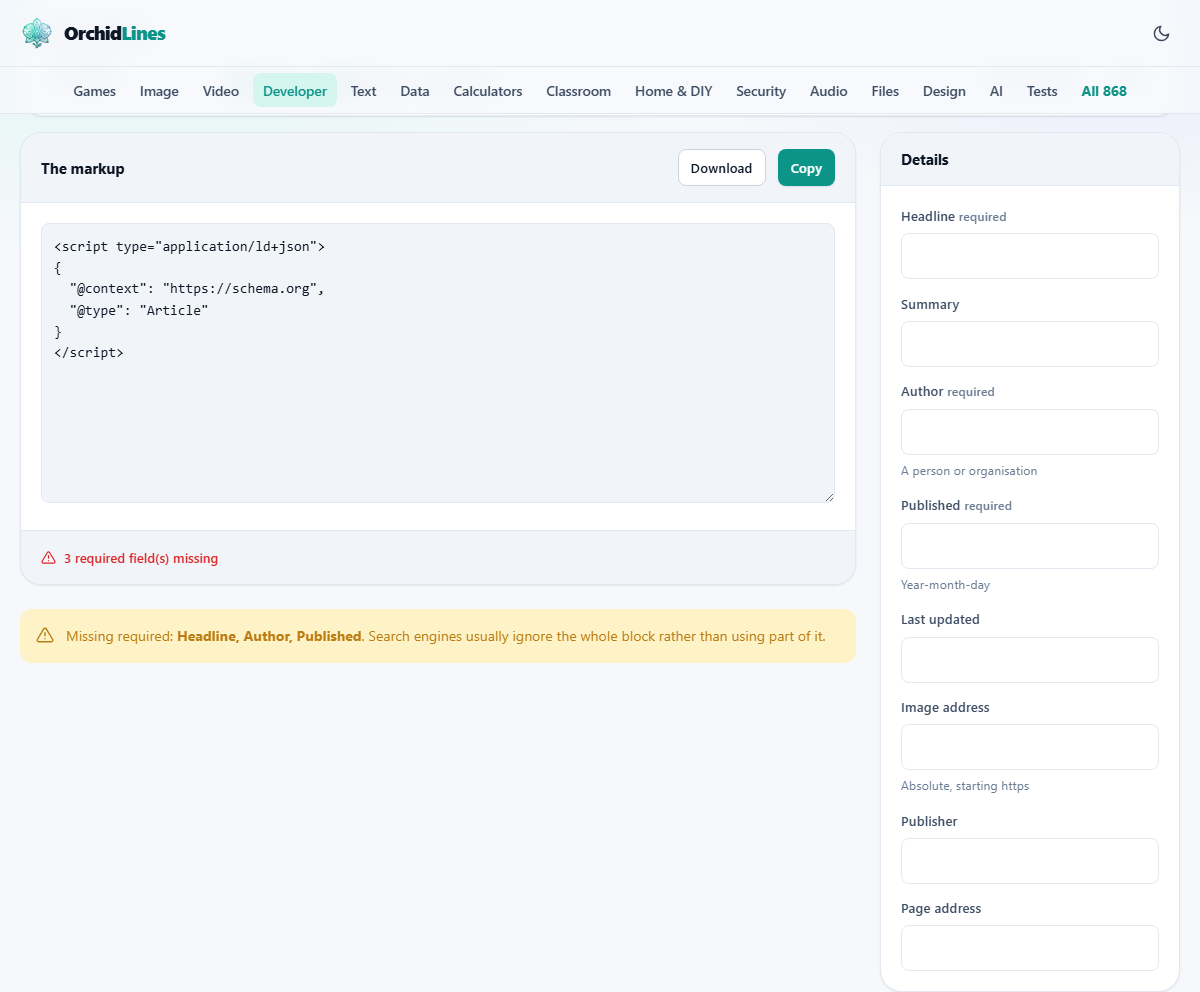
Every type has required fields and recommended fields. Required fields are marked. Leaving one out usually means the search engine ignores the entire block rather than using the parts that are present.
For a product, the required fields include the name, the price, the currency and the availability. Recommended fields include the brand, the description, the image URL and the rating. Fill in as many as you can. More detail makes the rich result richer.
For an article, the required fields are the headline, the author name, the date published and the image. For a recipe they are the name, the image, the cook time and the ingredients. Each type has its own checklist, and the tool adjusts it when you switch types.
Output options and validation
Indent it is a checkbox, on by default. It formats the JSON with line breaks so you can read it. Turn it off to get a compact single line that takes up less space in the HTML source.
Wrap it in a script tag adds the opening and closing script tags around the JSON. Leave it on if you plan to paste the output directly into your HTML. Turn it off if your content management system or build tool adds the script tag for you.
Below the output, the validation panel lists any problems it finds. Missing required fields, invalid date formats and other common mistakes are flagged before you publish. Fix them here rather than discovering them later in a search console.
Worked example: a product page
You have a page selling a ceramic plant pot. Set What is this page to A product. In the Details panel fill in the name as Ceramic Plant Pot, the description as Handmade matte black pot, 15 cm diameter, the image URL as the full address of the product photo, the price as 18.50, the currency as GBP and the availability as In stock.
The output panel fills with a JSON-LD block. The @context is schema.org. The @type is Product. An offers object holds the price, the currency and the availability as a schema.org URL. The whole block is wrapped in a script tag of type application/ld+json.
Copy the output, open your page's HTML file and paste it into the head section. Save and reload. The block is invisible to visitors. To confirm the search engine will read it, use the Rich Results Test in your search console.
Rules that keep your markup honest
Structured data must describe what the visitor can already see on the page. This is not a suggestion. Search engines enforce it, and the penalty for breaking it is losing rich results across the entire domain, not just the page that cheated.
A star rating that does not appear on the visible page must not appear in the markup. A price that differs from the one the visitor sees is treated as deception. An event date that does not match the text on the page is misleading. The markup is a machine-readable mirror of the human-readable content. If a field would not survive a side-by-side comparison with what the page shows, leave it out.
Self-serving reviews are another common violation. A business that marks up its own five-star review as an aggregate rating is claiming endorsement that does not exist. The search console will eventually flag it, and the trust penalty is hard to reverse.
Date formats the parser accepts
Dates in structured data must use the ISO 8601 format. For a date alone that means four digits for the year, two for the month and two for the day, separated by hyphens: 2026-03-15. A date written as March 15, 2026 or 15/03/2026 is silently ignored by the search engine.
Events need a time as well. Add a T followed by hours, minutes and optionally seconds, then a time zone offset: 2026-03-15T19:00:00+00:00. Leaving off the time zone makes the event ambiguous. The tool flags missing time zones as a validation warning.
Published and modified dates on articles follow the same rules. If your content management system stores dates in a human-friendly format, convert them before pasting.
Common mistakes that waste the effort
- Marking up content that is not visible on the page. A price in the structured data that does not appear in the page body is treated as spam.
- Forgetting a required field. The search engine ignores the entire block, so the effort of filling in everything else is lost.
- Using a relative URL for images. The image field must be a full URL starting with https, not a path like /images/photo.jpg.
- Setting the availability to a plain word like available instead of the schema.org URL that the specification requires.
- Generating the markup once and never updating it. When the price or the event date changes on the page, the markup must change too.
When a different tool is the right choice
- If you need to format or validate a plain JSON file, the JSON Formatter handles that without any schema.org vocabulary.
- If you need to compare two JSON documents, the JSON Diff tool shows structural changes.
- If you want to generate typed code from a JSON sample, the JSON to Code tool writes interfaces and classes.
- If you need to build a full web page rather than just the metadata, a site builder or a CMS template is the right starting point.
Built entirely in your browser
The generator runs on your own machine. Nothing you type is sent to a server. This is useful when the page details include unpublished pricing, unreleased product names or private business addresses. You can go offline after the page loads and the tool still works, because it has everything it needs right there in the browser.