
Turning an API response into typed code
How the tool reads a JSON sample and writes the type definitions for you, what each language option produces, a full walkthrough with a real-looking response, and the limits of inferring types from data alone.
The gap between JSON and typed code
JSON has no type system. A value is a string, a number, a boolean, null, an object or an array, and that is all. The language you write your application in almost certainly has more to say. TypeScript has interfaces. Python has dataclasses. C# has classes with properties. Java has POJOs. Go has structs.
Wiring the two together by hand is tedious and easy to get wrong. You open the API documentation, count the fields, note which ones are nested, guess which ones might be missing, and type out a class. Then the API changes and you do it again. Every step is mechanical, and mechanical work belongs to a machine.
Who benefits most
Backend developers integrating a third-party API. They have a sample response from the documentation or from a live call, and they need a set of types before they can write the handler.
Frontend developers consuming their own company's API. The backend team sends a JSON sample in a chat message. Pasting it into the tool produces a TypeScript interface in seconds.
Students learning a new language. Seeing how a JSON structure maps to classes in Go or dataclasses in Python is a fast way to absorb the syntax of a language they are still getting comfortable with.
Pasting the input
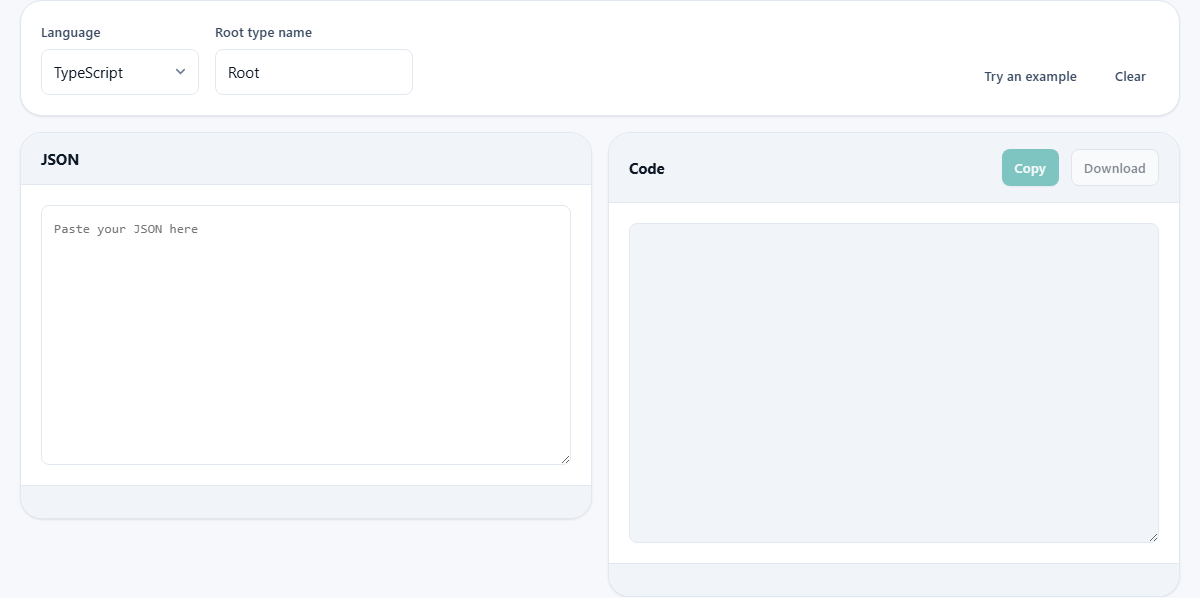
The left panel is labelled JSON. Paste any valid JSON into it. An object, an array of objects, or a deeply nested tree all work. The richer the sample, the better the output. A minimal object with one field produces a minimal type. A response with optional fields, nested addresses and arrays of orders produces a full set of types that reflect the real shape of the data.
Try an example fills the input with a sample that has enough variety to exercise most of the type inference rules. Clear empties both panels.
Choosing a language and naming the root
The Language dropdown lists six targets. TypeScript produces exported interfaces. Python produces dataclasses with type hints. C# produces classes with public properties and JsonPropertyName attributes. Java produces classes with fields and getter methods. Go produces structs with json tags. JSDoc produces a typedef comment block for plain JavaScript projects that do not use TypeScript.
Root type name is a text field. It defaults to Root. Change it to whatever your code calls the top-level object. If you name it Order, nested types are named from their field names: an address object becomes Address, the items in a line_items array become LineItem. When two nested objects would collide on a name, the second gets a number appended.
What the output looks like in each language
TypeScript: exported interface blocks with optional fields marked with a question mark and null unions written out. Property names that are not valid identifiers are quoted.
Python: frozen dataclasses importing from the dataclasses module. Field names are converted to snake_case. Types use Optional for nullable fields and list for arrays.
C#: classes with public get/set properties in PascalCase. A JsonPropertyName attribute keeps the original JSON key so serialisation works without configuration.
Java: classes with private fields, a constructor, and getter methods. The original JSON key names are kept in annotations.
Go: structs with exported field names in PascalCase and json struct tags holding the original key. Slices for arrays, pointers for nullable fields.
JSDoc: a typedef comment block that most editors understand. It provides autocomplete and type checking in plain JavaScript without a build step.
How optional and nullable fields are detected
If the input is a single object, every field present is required and every field set to null is nullable. The tool cannot guess which fields might be absent from a single example because it has never seen them missing.
If the input is an array of objects, the tool merges them. A field that appears in some objects but not others is marked optional. A field that appears in every object but is null in at least one is marked nullable. The two are different facts and the generated code treats them differently.
This is why a realistic sample matters. One record teaches the field names. Three or four records teach which fields come and go. The more variation the sample contains, the closer the generated types are to the truth.
A walkthrough with a product list
Paste the following kind of structure: an array of two objects. The first has an id of 101, a name of "Widget", a price of 9.99, a tag list of ["sale", "new"] and an address object with a city and a country. The second has an id of 102, a name of "Gadget", a price of null, no tags field at all, and an address with only a city.
Set Language to TypeScript and Root type name to Product. The output shows an exported Product interface. The id field is a number. The name is a string. The price is number or null because it was null in the second record. The tags field has a question mark because it was missing entirely from the second record, and its type is string array. The address field is a separate Address interface where country is optional because it was absent from the second object.
Switch to Python. The same structure appears as two frozen dataclasses. Field names stay as they are because the JSON keys were already lowercase. The price field uses Optional with a float type. The tags field has a default of None and a type of Optional list of str.
Integer versus floating-point detection
JSON does not distinguish between integers and floating-point numbers. The number 42 and the number 42.0 are the same value in the specification. But in Python, C#, Java and Go the distinction matters. An int and a float are stored differently, perform differently and produce different results when divided.
The tool looks at the actual digits in the sample. If every value a field ever holds is a whole number with no decimal point, it is typed as an integer. If any value has a fraction, the field becomes a float or a double. This is a reasonable guess, but it can be wrong. If the field can hold 9.99 but your sample only has 10, the generated type will say int and your code will break on the first fractional value. The fix is simple: include one example with a decimal point.
Limits of type inference from data
- A string that looks like a date is still typed as a string. The tool does not guess that "2026-01-15" should be a Date object.
- An integer field that happens to hold 1 and 0 is not treated as a boolean. It comes out as an int.
- An empty array gives no type information about its elements. It is typed as an array of any or unknown.
- A field that holds different types in different records, such as a number in one and a string in another, produces a union type. If that happens by accident, fix the data.
- Enum values are not detected. A status field holding "active" and "pending" comes out as a plain string, not a union of literal types.
When a different tool is a better starting point
- If you need to clean up the JSON before generating types, run it through the JSON Formatter first.
- If you want to compare two versions of a response to see what changed, the JSON Diff tool shows every difference by path.
- If you want to go in the other direction and produce sample JSON from a schema, the Sample Data Generator in the Data tools category handles that job.
- If you need JSON-LD markup for a web page rather than types for an application, the Structured Data Generator builds it.
The data never leaves the page
All the parsing and code generation runs inside your browser. The JSON you paste is never uploaded to a server. This is especially important when the sample is production data that contains real customer names, email addresses or access tokens. You can verify it by going offline after the page loads and running the tool with no network at all. Everything works, because there was never a remote service involved.