
Making sense of subnets, masks and CIDR notation
What the slash number in a network address means, how to read the range and host count, why two addresses in every IPv4 subnet are not usable, how to split a network into smaller ones, and a full walkthrough with a real office allocation.
Networks and the slash number
An IP address identifies a single device. A network is a group of addresses that share a common prefix. The prefix length is the number after the slash, and it tells you how many bits at the front are fixed. Everything after that is free to vary.
A /24 network has 24 fixed bits and 8 variable ones. Those 8 bits give 256 possible addresses, from the one where all 8 variable bits are zero to the one where they are all one. A /16 has 16 variable bits and 65536 addresses. Each extra bit in the prefix halves the number of addresses.
This notation is called CIDR, which stands for Classless Inter-Domain Routing. It replaced the old class-based system where networks came in only three sizes. CIDR lets you carve a block of any size, which wastes fewer addresses.
Who uses a subnet calculator
Network engineers planning an office layout. They have been given a /22 by their provider and need to split it into subnets for different floors or departments.
System administrators setting up firewall rules. A rule that allows traffic from 10.20.30.0/24 needs to be right about which addresses that covers, because a mistake either blocks legitimate traffic or opens a hole.
Cloud architects designing a VPC. AWS, Azure and Google Cloud all ask for CIDR ranges when you create a virtual network, and the ranges you choose constrain everything built on top of them.
Students studying for a networking certification. Subnetting questions appear on every exam, and the fastest way to check your own mental arithmetic is to type the network in and see the answer.
The input panel
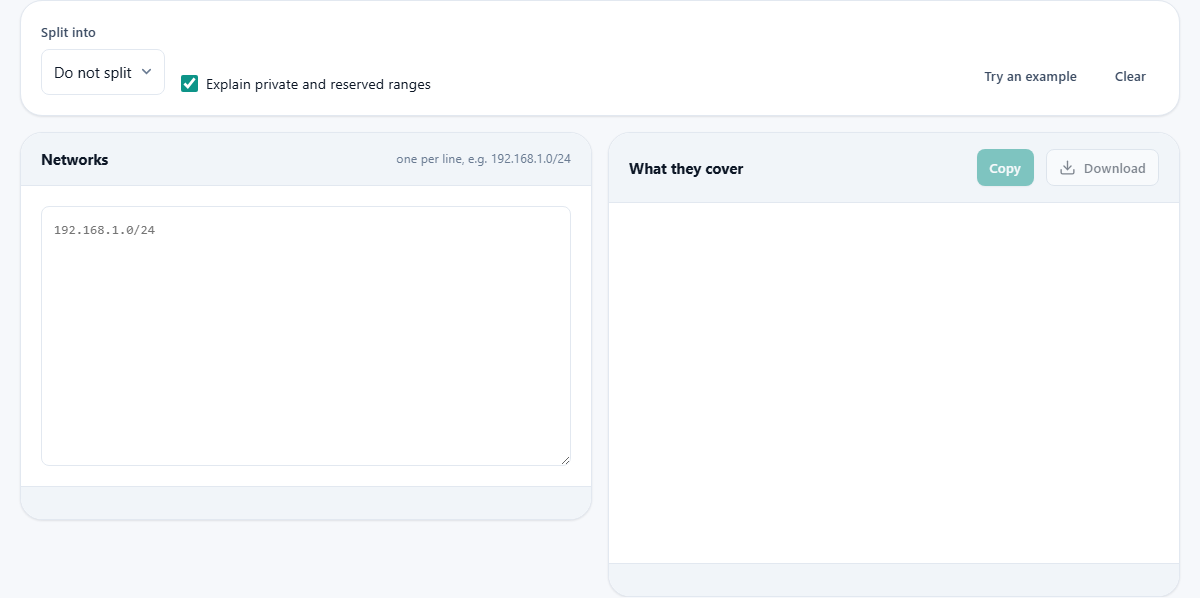
The left panel is labelled Networks. Type one network per line in slash notation, such as 192.168.1.0/24 or 2001:db8::/32. A plain address with no slash is treated as a single host - a /32 for IPv4 or a /128 for IPv6.
Above the panels are two controls. Split into offers Do not split, 2 subnets, 4 subnets, 8 subnets, 16 subnets and 32 subnets. Choosing a split divides each network you entered into that many equal pieces and shows every piece in the output.
Explain private and reserved ranges is a checkbox, on by default. When it is on, the tool flags any range that falls inside the well-known private blocks - 10.0.0.0/8, 172.16.0.0/12 and 192.168.0.0/16 - or inside reserved ranges like loopback and link-local. This catches planning mistakes early. If your internal network is using an address that belongs to the public internet, this flag tells you.
The Try an example button fills the input with a sample network so you can see the output format before typing your own. The Clear button empties both panels.
Reading the output
The right panel is labelled What they cover. For each network you entered, it shows a table with the network address, the first and last usable addresses, the broadcast address, the subnet mask in dotted decimal, the wildcard mask, and the total number of addresses and usable hosts.
The first address in an IPv4 range is the network address. It identifies the subnet itself and cannot be assigned to a device. The last address is the broadcast address. Traffic sent to it reaches every host on the subnet. These two addresses are why a /24 has 256 addresses but only 254 usable hosts.
There are two exceptions worth knowing. A /31 has only two addresses and no room for a network or broadcast address. It is used for point-to-point links where both addresses are hosts. A /32 is a single address and is used for host routes. IPv6 works differently - there is no broadcast address, so every address in a /64 except the subnet-router address can be assigned.
The Copy button copies the output as plain text, ready to paste into documentation or a planning spreadsheet.
A walkthrough: splitting an office network
Your internet provider has assigned 192.168.4.0/22 to your office. That is 1024 addresses. You need four subnets: one for each floor of the building.
Type 192.168.4.0/22 into the Networks panel. The output shows the range from 192.168.4.0 to 192.168.7.255, the mask 255.255.252.0, and 1022 usable hosts.
Now set Split into to 4 subnets. The output changes to four tables. The first subnet is 192.168.4.0/24, covering 192.168.4.1 to 192.168.4.254 with 254 usable hosts. The second is 192.168.5.0/24. The third is 192.168.6.0/24. The fourth is 192.168.7.0/24. Each one is a /24, which means the original /22 was divided by adding two bits to the prefix.
If four subnets are not enough, set the split to 8. Now each subnet is a /25 with 126 usable hosts. The prefix gained one more bit. This is the core rule: each doubling of the subnet count adds one bit to the prefix and halves the number of hosts per subnet.
Masks, wildcard masks and why both exist
The subnet mask is the same information as the slash number written differently. A /24 is 255.255.255.0. The first 24 bits are all ones, and the remaining 8 bits are all zeros. The ones mark the fixed part of the address. The zeros mark the variable part.
The wildcard mask is the mask flipped. Where the mask has a one, the wildcard has a zero, and the other way around. A /24 has a wildcard mask of 0.0.0.255. Cisco access control lists and some other networking equipment ask for the wildcard form instead of the subnet mask. Both carry the same information.
If you only know the dotted-decimal mask and need the slash number, count the ones. 255.255.255.0 has 24 ones, so it is /24. 255.255.240.0 has 20 ones, so it is /20. The calculator shows both forms side by side, so you never have to count by hand.
IPv6 subnetting
The tool accepts IPv6 networks as well. Type 2001:db8::/32 and the output shows the range, the prefix length and the number of addresses. The addresses are enormous - a /64 alone holds more addresses than the entire IPv4 space many times over - but the arithmetic is the same.
IPv6 does not have a broadcast address. Multicast replaces broadcast, so every address in a subnet can be assigned to a host. The tool reflects this by not listing a broadcast line for IPv6 ranges.
Standard practice allocates a /64 to every individual link. Splitting below /64 is unusual and breaks some protocols that assume 64 bits of host space. The calculator will do the math, but if you find yourself creating /96 subnets, the design may need rethinking.
Common mistakes in subnet planning
- Confusing a host address with the network address. Typing 192.168.1.57/24 describes the same network as 192.168.1.0/24. The tool shows both so you can see the difference and paste the correct one into your configuration.
- Using a public address range for an internal network. If your servers use addresses that belong to someone else on the internet, traffic to those real addresses will never leave your building. Stick to 10, 172.16 through 172.31, and 192.168.
- Allocating a /24 for every department regardless of size. A team of ten people does not need 254 addresses. Over-allocation wastes the address space and makes the routing table larger than it needs to be.
- Forgetting that the network and broadcast addresses are not usable. A /24 gives 254 hosts, not 256. A /30 gives 2, not 4. Plan for the actual number.
- Overlapping ranges. Two subnets that share any addresses will cause routing confusion. The calculator shows the exact first and last address of each range, which makes overlaps easy to spot before they reach production.
When a different tool handles it better
- For checking whether a single address falls inside a particular range, a CIDR membership test is more direct than calculating the whole range and eyeballing it.
- For converting between dotted-decimal masks and slash notation without the rest of the subnet detail, a simple mask converter is faster.
- For tracing the path packets take through a network, a traceroute tool answers a different question entirely.
- For looking up who owns a public IP address, a WHOIS lookup gives the registration details that subnetting math cannot.
Everything stays in your browser
The calculation runs on your own machine. The addresses you type are processed locally by JavaScript in your browser and never sent anywhere. There is no upload, no log and no account. This matters when you are planning a corporate network and the address scheme is part of the security design. Close the tab and the numbers are gone.