
Choosing the right alphabet when Base64 will not do
Why Base32, Base58, Base62, and Base85 exist alongside Base64, what each one drops and why, how to encode or decode with the controls on this page, a worked example comparing them side by side, and the checksum that makes Base58Check catch a mistyped character.
The problem Base64 leaves behind
Base64 is the standard way to carry binary data through text-only channels. It works well when software reads the result, but it has a few awkward properties when people have to deal with it. The plus and slash characters cause trouble inside URLs. The upper and lower case letters look alike in some fonts. The output is hard to read aloud over the phone. And it includes characters that confuse double-click selection in a terminal.
Different communities solved these problems by choosing different subsets of printable characters. Each subset is called an alphabet, and each one trades something for something else. A smaller alphabet means longer output but fewer reading errors. A larger alphabet means shorter output but more characters that need escaping. This tool handles all of them and lets you switch between alphabets without retyping, so you can compare the results directly.
Who uses these encodings
Developers who generate licence keys, backup codes, or one-time passwords use Base32 because it survives being typed by a customer who is reading it off a screen. Blockchain developers work with Base58 and Base58Check every day because wallet addresses use that alphabet. Programmers embedding binary data in source code or PostScript files use Base85 because it is the most compact option. API designers who need identifiers that are safe in URLs without percent-encoding sometimes choose Base62, which uses only letters and digits.
System administrators setting up two-factor authentication encounter Base32 secrets in TOTP configuration. Anyone who has scanned a QR code to set up an authenticator app has already used a Base32-encoded secret without knowing it. Database designers who want compact primary keys that look clean in a URL sometimes pick Base62 for their identifiers. Game developers who generate invite codes or session tokens want something that players can share over voice chat without confusion, and Base32 fills that role.
The controls on the page
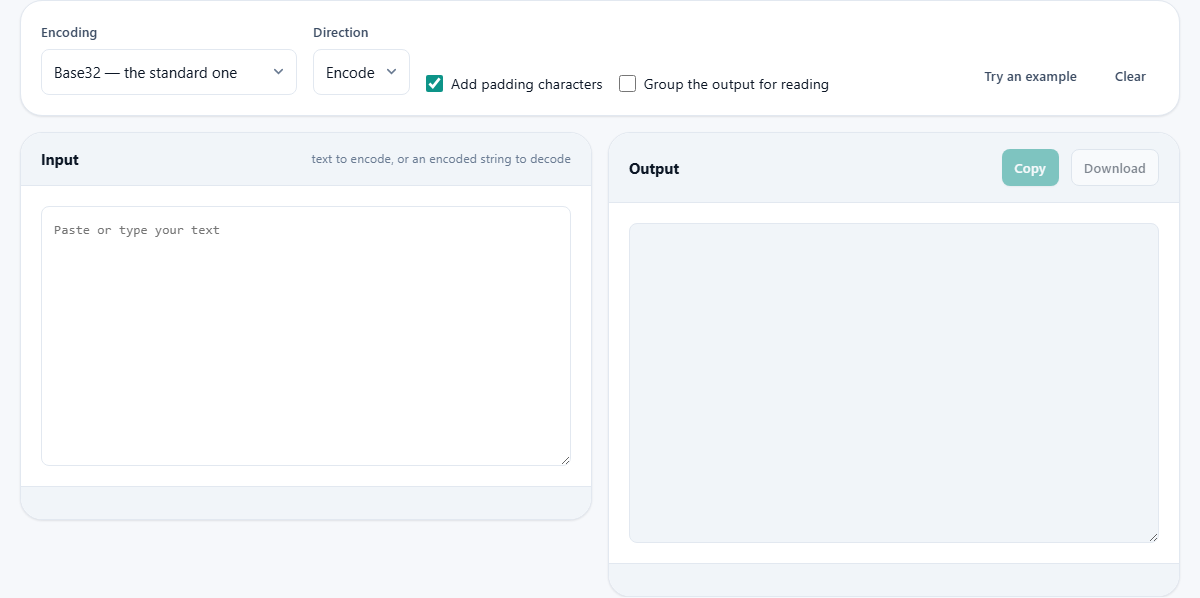
The dropdown labelled Encoding lists every alphabet the tool supports. The choices are Base32, which is the standard RFC 4648 version. Base32 with hex digits, which keeps the same structure but uses 0 through 9 and A through V. Z-base-32, which was designed to be spoken aloud and uses a character set chosen to sound different over a phone line. Base58 with the Bitcoin alphabet. Base58 with the Flickr alphabet, which swaps the case of six letters. Base62, which uses only the 26 upper case letters, 26 lower case letters, and 10 digits. And Base85, the most compact option, which uses printable ASCII including punctuation.
The dropdown labelled Direction switches between Encode and Decode. Paste or type your text into the Input panel and the Output panel fills in right away.
Add padding characters is a checkbox that controls whether the output includes trailing padding. Base32 pads with equals signs, the same way Base64 does. Base58 and Base62 do not use padding at all, so this checkbox has no effect on those alphabets.
Group the output for reading breaks the output into blocks separated by spaces. This makes a long encoded string much easier to read aloud or copy by hand, which is the whole reason some of these encodings exist.
How the alphabets compare
Base32 uses 32 characters: the upper case letters A through Z and the digits 2 through 7. It leaves out 0, 1, and 8 because they look like O, I, and B in many fonts. The result is about 60 percent longer than the original, but a person can type it without making mistakes.
Base58 uses 58 characters. It keeps both upper and lower case for density but drops 0, O, I, and lowercase l because they are easily confused. This is the alphabet behind Bitcoin and other cryptocurrency addresses. The output is shorter than Base32 but harder to read aloud because case matters.
Base62 uses 62 characters: all the letters and all the digits. Nothing is dropped for readability. It is popular for short URL tokens and identifiers because every character is safe in a web address without escaping.
Base85 uses 85 characters and is the most compact of the group. The output is about 25 percent shorter than Base64. The trade-off is that it includes punctuation marks like exclamation points and angle brackets, which need escaping in HTML, JSON, and most shell commands. It is best suited for contexts where the encoded text is never shown to a person.
A walked-through example
Take the word Hello as input. Set Encoding to Base32 and Direction to Encode. The output is JBSWY3DP. Switch to Base58 with the Bitcoin alphabet. The output becomes 9Ajdvzr. Switch to Base62 and you get 5TP3P3v. Switch to Base85 and you get 87cURD.
The trend is clear. Base32 is the longest at 8 characters. Base58 and Base62 are in the middle. Base85 is the shortest at 6 characters. But Base85 could contain a character like < that would break an HTML page, while Base32 is entirely safe to paste into any system.
Now decode. Set Encoding to Base32, Direction to Decode, and paste JBSWY3DP into the input. The output is Hello. The round trip is exact.
The checksum in Base58Check
Plain Base58 encoding has no error detection. If you mistype one character, the decode succeeds but gives you wrong data. For a cryptocurrency address, that means sending money to a place that does not exist.
Base58Check adds four bytes of checksum to the end of the data before encoding. When you decode, the checksum is recalculated and compared. A single wrong character, a swapped pair, or a missing character will all be caught. This is why Bitcoin addresses use Base58Check rather than plain Base58. The tool detects and reports checksum failures when decoding. The checksum is a double SHA-256 hash of the payload, truncated to four bytes. You do not need to know how it works to use it, but knowing that it exists explains why the encoded form is a few characters longer than plain Base58.
Common mistakes
- Confusing encoding with encryption. Every encoding on this page is reversible by anyone. None of them hides data. Use real encryption if you need secrecy.
- Using Base85 in a context where punctuation is dangerous. Angle brackets, quotes, and backslashes all appear in the Base85 alphabet. If the output goes into HTML, a shell command, or a JSON value, those characters will cause problems.
- Leaving padding on when the receiving system rejects it. Turn off the Add padding characters checkbox if the other end treats equals signs as invalid.
- Choosing Base58 when the reader will need to type the value. Case matters in Base58, and a long mixed-case string is easy to mistype. Base32 is the better choice for anything a person has to enter by hand.
- Decoding with the wrong alphabet. A string encoded with the Bitcoin alphabet will not decode correctly with the Flickr alphabet, even though both are called Base58. The six swapped letters produce wrong output without any error.
- Thinking these encodings compress data. Every encoding here makes the output larger than the input. They change the representation, but they never make it smaller. If you need to shrink data, use a compression tool first and then encode the compressed result.
When to reach for a different page
- For Base64 encoding and decoding, use the Base64 tool. It has its own controls for URL-safe output and line wrapping that are specific to Base64.
- For converting a number between decimal, hex, and binary, use the Number Base Converter. That tool works with numeric values. This one works with streams of bytes.
- For hashing data, use a hash tool. Hashing produces a fixed-size output that cannot be reversed. Encoding produces output that can always be decoded.
- For generating a random key or password, use a password generator. Encoding transforms existing data. It does not create new random data.
Nothing leaves your browser
Every conversion runs on your own device. The text you paste is encoded or decoded entirely in your browser's memory. No server is involved, no copy is kept, and no record of what you converted exists after you close the tab. That matters when you are working with production secrets, API tokens, or wallet keys that should not appear in a third party's logs.
Disconnect from the internet and the tool works exactly the same way, because there was never a server call to make.