
Reading a camera's mileage out of a single photograph
A shutter count says how many pictures a camera body has taken in its life. It is the first thing to ask about a second-hand camera, and the answer is often hiding inside any photo the camera has produced. This article explains where that number lives, every answer this page can give you, and how to use it without being misled.
Why the number matters
Most cameras with a mirror or a mechanical shutter open and close a small set of blades every time you press the button. Those blades are a moving part, and moving parts wear out. Makers publish a rating, tested on samples, saying roughly how many openings a model should survive.
That makes the count the closest thing a camera has to the mileage on a car. Two bodies can look identical in a listing photo, and one of them may have taken five thousand pictures while the other has taken three hundred thousand.
It is not a death clock, though. Ratings are an average from testing, not an expiry date. Plenty of bodies sail well past their figure, and a worn shutter can be replaced by a repair shop for a known price. Read the number next to the state of the body and the sound it makes, not instead of them.
Where the number actually hides
Every photo carries a block of notes the camera wrote about itself. This is usually called EXIF, and it is a shared standard: the date, the exposure time, the aperture, the sensitivity, the lens name. Any program can read it because everyone agreed on the layout.
The shutter count is not part of that standard. There is no agreed field for it at all. Cameras that record one put it in a private area of the same block, and each manufacturer designs that private area however it likes, without publishing the design.
So this is not a matter of looking up a labelled value. It is a matter of knowing how one particular maker arranged its own private notes. That one fact explains why the answer depends so much on who built the camera.
The only thing you have to do
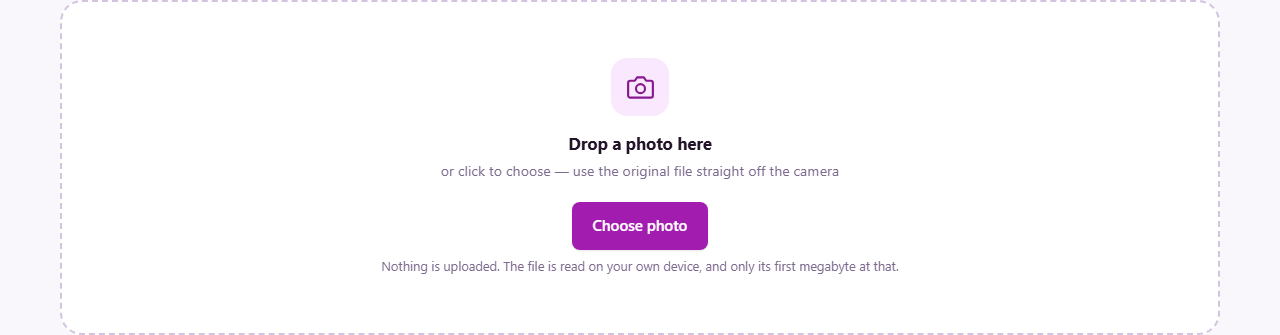
There are no settings here, no boxes to fill in and nothing to configure. Drop a photo on the panel, or click Choose photo and pick one.
Use a file straight off the memory card. An ordinary camera JPEG works. So do the raw files cameras produce, whose names end in things like .nef, .dng, .cr2, .cr3, .arw, .orf, .rw2 and .raf. Underneath, those raw files use the same structure as an ordinary photo file, so the same notes are in there.
Only the first megabyte of whatever you give it is read. The camera's notes sit at the very front of the file, so there is no point wading through the other 59 megabytes of a big raw picture. That is why even a huge file gives an answer instantly.
When you are done, Another photo clears the result and puts the drop area back.
The answers you can get, and what each one means
The result appears as a headline, a short list of details and a paragraph of explanation. There are five possible headlines, and telling them apart is the whole skill of using this page.
- A large number, with the words actuations recorded by this camera. This is the real thing, taken from what the camera itself wrote at the moment of the shot.
- A dash and the words no EXIF in this file. The photo has no camera notes at all. Something has stripped them: an editor, a screenshot, or a chat app that squeezed the picture on the way through.
- A dash and the words no count in this file. The ordinary notes survived but the maker's private area did not. This is what an edited and re-saved photo usually looks like.
- A dash saying the maker does not record a shutter count here. Some makers simply never put one in the file. Reading a count from those bodies needs software that talks to the camera over a cable.
- A dash saying your particular camera does not store a readable count. The private area is there, but this manufacturer scrambles the number, and it is not decoded here.
The details list underneath
Whatever the headline says, the page shows what it did find. Camera gives the make and model, tidied up so a name is not repeated twice. Lens gives the lens that was fitted. Taken gives the date and time the picture was made. Body serial gives the serial number of the camera itself, when it was recorded. Finally, File repeats the name and size of what you gave it.
Two of those rows are quietly powerful when you are buying. The serial number can be checked against the one printed on the base of the body, which catches a listing that shows one camera and ships another. And the Taken date proves whether the photo really was made today or was pulled from an old holiday folder.
A worked example: meeting a seller
Somebody is selling a body online and claims light use. You arrange to meet.
Ask them to take one photo there and then, of nothing in particular. Take the memory card, put it in a reader, and open this page. Drop the new file on it.
The headline comes back reading 43,218 with the line about actuations recorded by this camera. Below it the details show the model, the lens fitted, a Taken time from four minutes ago, and a body serial ending 5182.
Now you can have a real conversation. Compare 43,218 against the figure that model is rated for. Check the serial against the base of the camera in your hands. If the seller had instead sent you a photo by message beforehand, you would very likely have seen no EXIF in this file, because chat apps strip those notes when they shrink pictures.
The number that looks like a count but is not
Some cameras keep a running number for the files on the card. It goes up as you shoot, it appears in the file names, and it looks reassuringly like an odometer. It is not one.
That number counts the pictures on the card, and it goes back to the start when a card is formatted. A camera that has taken two hundred thousand pictures can show a card number in the low hundreds the morning after a format.
Where this page finds such a number it shows it, clearly marked as a card number and not a shutter count, precisely because it is the value most often quoted by mistake in a listing. If a seller offers you a number in the hundreds for a well-used professional body, this is usually what they are reading.
What goes wrong, and how to fix it
The photo came through a messaging app. Those apps rebuild the picture to make it smaller and throw the notes away. Ask for the original file, sent as a document or by email attachment.
The photo was opened and saved again in an editor. Most editors keep the standard notes and drop the maker's private ones, which is exactly the part you need. Go back to the untouched file from the card.
The photo is old. A count is a snapshot of the moment the shutter fired. A picture from last summer tells you last summer's total, and the camera may have done a lot of work since. Always use a fresh frame when you are checking a specific body.
You used a screenshot of the photo. A screenshot is a new picture made by your computer, and it knows nothing about the camera. Nothing can be recovered from it.
It says no count and you are sure the file is original. Then your camera's maker is one of those that does not store a readable count, and no amount of retrying will change the answer.
Why it would rather say nothing than guess
A few manufacturers hide their count behind a scramble that is tied to the capture date, or in a block whose layout shifts from model to model. It is possible to write code that decodes some of them, some of the time.
This page does not, and that is a choice rather than an oversight. Shutter counts are used to set prices. A figure that is right nine times in ten still costs somebody real money on the tenth, and the buyer cannot tell which case they are in.
So the rule here is simple. If the number can be read with confidence, you get it. If it cannot, you are told plainly that it cannot, along with the reason. An honest blank is worth more than a confident invention.
When another page suits you better
If you want everything the camera recorded rather than just this one figure, use the EXIF Viewer and Remover. It lists the full set of notes: exposure, focal length, flash, and any location that was saved with the picture.
That same page is the one to use before you publish photos. Stripping the notes out removes the location and the equipment details from anything you post, which is worth doing on pictures taken at home.
And to sort through a card full of shots you have already taken, the Blurry and Duplicate Photo Finder is the page for that.
The file never leaves your machine
The reading is done by the browser you are using. Your photo is opened locally, the first stretch of it is examined for the camera's notes, and the answer is drawn on the page. Nothing is transmitted, stored or logged anywhere else.
That matters more here than it might seem. Original camera files often carry a serial number, and sometimes the exact place a picture was taken. Checking a used camera should not mean handing those details to a stranger's website.
There is no sign-up and no limit on how many photos you check, and once the page has loaded it keeps working offline.