
Filling the grid when logic is the only tool you have
What makes a Sudoku puzzle fair, how the four difficulty levels change the work, when to reach for pencil marks instead of memory, and the thinking patterns that let experienced solvers place numbers with certainty instead of hope.
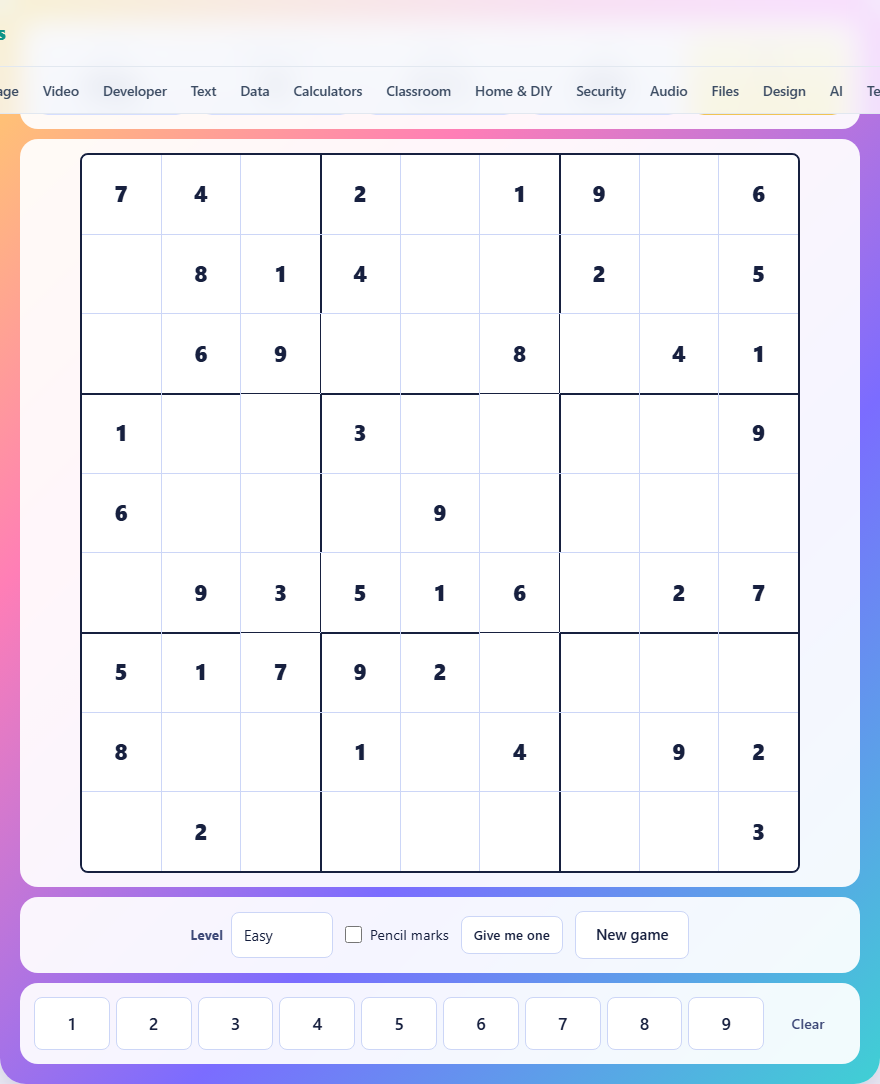
One rule, eighty-one squares
The board is a nine by nine grid divided into nine smaller boxes of three by three. Some squares already contain a number. The goal is to fill every empty square so that each row, each column and each small box contains the digits one through nine exactly once. No digit may repeat within any of those three groups.
That single constraint is all there is. There is no arithmetic, no hidden pattern, and no luck. Every puzzle generated here has exactly one valid solution, confirmed by the generator before it is shown to you. When you are stuck, the answer is always reachable by reasoning rather than guessing.
The four difficulty levels
The Level selector offers Easy, Medium, Hard and Expert. The difference is how many starting numbers you are given. Easy begins with about forty filled squares, leaving roughly forty-one to solve. Medium drops to around thirty-two. Hard gives you roughly twenty-six, and Expert goes as low as twenty-three.
Fewer starting numbers means longer chains of reasoning before you can place anything with certainty. On Easy you can often scan a row or column and spot the missing digit immediately. On Expert you may need to track three or four possibilities across multiple rows and columns before a single square resolves. The rules never change. Only the amount of information you start with does.
Choosing a level and pressing New game generates a fresh puzzle on the spot. The generator fills a complete grid at random, then strips away numbers one at a time, checking after each removal that the puzzle still has exactly one solution. That check is what makes Expert puzzles take a moment to appear, and it is why every puzzle you see is fair.
Controls: tapping, typing and clearing
Tap any empty square to select it. The selected square is highlighted, and every square that shares its row, column or box is shaded so you can see which numbers are already spoken for. Tap one of the nine number buttons below the grid to place a digit. Tap Clear to empty the square again.
On a keyboard, the arrow keys move the selection around the grid, the number keys one through nine place a digit, and Backspace or Delete clears a square. The two input methods can be mixed freely.
If you enter a number that does not belong in that square, it turns red immediately. You are not penalised for leaving it there, but five wrong entries across the whole puzzle end the game. That limit stops the puzzle from being solvable by trial and error, trying all nine in every square until one sticks.
Pencil marks: the tool that separates levels
Tick the Pencil marks checkbox and the number buttons switch from placing a final answer to writing a small candidate in the corner of the selected square. Tap the same number again and it is removed. These notes are yours to manage and carry no penalty.
On Easy you can often get by without them. On Hard and Expert, trying to hold the possibilities in your head is what leads to mistakes. Writing them down takes a minute and prevents the kind of error where you place a six, then ten squares later realise you forgot a six was already in that column.
When you place a correct final digit, the game automatically removes that number from the pencil marks of every square the new entry rules out. That tidying is the tedious part of playing on paper, done for you here.
Strategy: scan for the obvious before anything hard
Before every other technique, look for the groups that are nearly full. A row with eight digits already placed has exactly one square left and exactly one digit missing. The same goes for columns and boxes. These free squares cost nothing and often unlock something else nearby.
After the free ones, look for naked singles. A naked single is a square where only one digit is possible once you rule out everything in its row, column and box. You do not need pencil marks to spot these if the group is crowded enough.
Then look for hidden singles. A hidden single is a digit that can only go in one square within a row, column or box, even if that square has other candidates. If the digit seven can only fit in one square of a particular box, then seven goes there regardless of what else could go there.
Strategy: pairs and locked candidates
When two squares in the same row both have only the same two candidates, those two digits belong to those two squares. Every other square in that row can have those candidates removed from its list. This is a naked pair, and it is the first technique that separates Medium solvers from Hard ones.
A locked candidate works between a box and a row or column. If within one box the digit four can only appear in a single row, then four cannot appear in that row outside the box. That eliminates candidates you might otherwise miss.
These techniques are not guesses. Each one follows from the single constraint that no digit repeats. They are worth learning in order because each one is cheaper than the next, and on Expert you will use all of them.
Using the hint button wisely
The Give me one button fills in a single correct square. If you have a square selected, it fills that one. If nothing is selected, it picks one for you at random. The filled square turns into a given, looking and behaving like the numbers you started with.
The timer keeps running through a hint, so it does not spoil your time in a dramatic way, but it does mean the final grid contains a square you did not solve yourself. The button is there so a stuck puzzle does not have to be abandoned entirely. Used once on a genuinely blocked grid, it often opens up a chain of deductions that lets you finish the rest on your own.
A puzzle from start to finish
You select Medium and press New game. The grid appears with thirty-two numbers filled in. The timer starts. You scan rows first and spot row five with seven numbers present. Two squares are empty and only two digits are missing. You place them both in under five seconds.
You move to box six in the middle right, which now has seven of nine. The two gaps fall quickly. Progress slows around the centre where fewer starting digits leave more open squares. You switch on pencil marks and spend a minute noting candidates in the middle three boxes.
A naked pair in column four eliminates a candidate from a third square, which reveals a hidden single in box five. That one placement cascades into three more. Eight minutes in, seventeen squares remain. You work through them steadily, and the grid completes at eleven minutes and forty seconds with zero wrong entries. The win screen shows your time and notes it as your best for Medium.
Common mistakes new solvers make
- Guessing instead of deducing. If you are choosing between two digits and cannot tell which is right, there is a technique you have not applied yet. Resist the urge to try one and see.
- Ignoring the box constraint. Beginners focus on rows and columns and forget that the three by three boxes carry the same weight. Checking all three groups together eliminates far more than checking any two.
- Skipping pencil marks on Hard. Holding five open candidates in your head while scanning three different groups is where the mistakes creep in. Write them down.
- Using hints too early. A hint on the third minute of a Hard puzzle often solves a square you would have reached in the fifth minute. Give the harder techniques a chance before reaching for it.
- Forgetting the timer exists. Your best time per level is saved, so finishing faster on a replay is its own reward. But rushing leads to wrong entries, and five of those end the game.
Built on your device, never sent anywhere
Every puzzle is generated fresh in your browser the moment you press New game. No puzzle library is downloaded and no data leaves your machine. Your best time per level is saved in your browser's local storage on this device only. Load the page once, switch off your connection, and it works identically, because the server was never part of the game.