
Turn, thrust and shoot through five waves of splitting rocks
How the ship handles in a world with almost no friction, why big rocks get busier before they get quieter, the wrap-around trick that saves lives, and the habits that clear all five waves.
What the game asks you to do
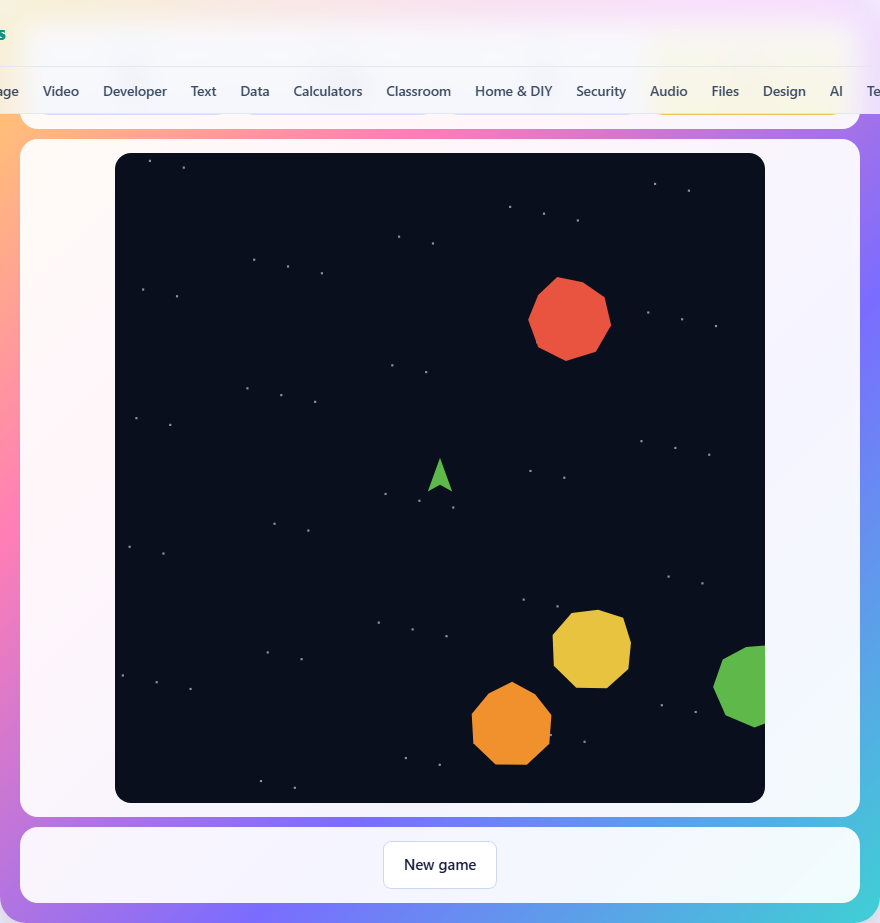
You fly a small ship in an open field of drifting rocks. Shoot a rock and it breaks apart. Big rocks split into two medium ones. Medium rocks split into two small ones. Small rocks vanish. Clear every rock in the field to advance to the next wave. Survive five waves and you win.
You start with three lives. Colliding with any rock costs one. Lose all three and the game is over. Each wave adds more rocks and they move a little faster than the last wave. The game tracks your score across all five waves, and higher scores come from clearing the field efficiently.
Controls on every device
On a keyboard, the left and right arrow keys turn the ship. The up arrow thrusts forward. The space bar fires a shot. The A and D keys turn, and W thrusts, as an alternative set.
On a phone or tablet, three hold buttons sit beneath the game area. The left button turns the ship counter-clockwise. The right button turns it clockwise. The middle button thrusts forward. A separate Fire button below them fires a shot. Hold the turn and thrust buttons for continuous input. Tap Fire each time you want to shoot.
You can have up to five shots in the air at once. Firing again while five bullets are still travelling does nothing. Wait for one to expire or hit a rock before shooting again.
How the ship moves
The ship has momentum. Pressing thrust pushes it in the direction it is facing, but the ship keeps drifting in that direction after you release. There is a small amount of drag that slowly reduces your speed, but it is not enough to stop you quickly. To change direction, you must turn the ship and thrust the other way.
This means the ship slides. It does not stop when you let go of thrust. It does not turn on the spot when you press left or right. Turning changes the angle of the ship but not its direction of travel. You are always fighting the gap between where the ship is pointing and where it is going.
Short taps of thrust are far easier to control than long burns. A long thrust builds up speed that takes time and fuel to cancel. A quick tap nudges the ship's velocity by a small amount and keeps everything manageable. The ship has a maximum speed, so constant thrusting does hit a ceiling, but reaching that speed in a crowded field is rarely a good idea.
Screen wrapping
Everything wraps around the screen edges. Fly off the right side and you appear on the left. Fly off the top and you come back at the bottom. Your shots wrap. The rocks wrap. There is no wall anywhere.
Wrapping means there is no safe corner. A rock drifting off one edge will reappear on the other and continue towards you. But it also means you can escape a crowd by flying off an edge deliberately. If three rocks are closing in from the right, flying to the right puts a whole screen width between you and them.
Shots that miss will wrap around and can hit rocks on the far side. On a crowded field this sometimes works in your favour. A bullet aimed at nothing in particular loops back and clips a rock you had not noticed.
How rocks split
A big rock is worth sixty points and splits into two medium rocks. A medium rock is worth forty points and splits into two small rocks. A small rock is worth twenty points and vanishes when hit. The two fragments fly off in random directions at speeds that increase slightly with each wave.
This splitting means the number of objects on screen goes up before it comes down. Shooting the first big rock turns one target into two. Shooting those two turns them into four. Only when all four small rocks are destroyed is the field actually cleaner than when you started.
Understanding this rhythm is the key to not being overwhelmed. The field is at its most dangerous about halfway through a wave, when you have broken the big rocks but have not yet cleaned up the fragments.
Breaking the big rocks first
Big rocks are slow and easy to hit. They also take up the most space on the screen, making it harder to navigate around them. Breaking them early gets the splitting out of the way while the field is still open enough to dodge the fragments.
Leaving big rocks for last is the mistake that ends most runs. As you break the medium and small rocks, the field gets sparser and you feel safe. Then you shoot the remaining big rock and suddenly two medium rocks are flying through what was an empty area. If you are caught between them with no room to manoeuvre, a life is gone.
The safest approach is to shoot a big rock, clean up its fragments, then shoot the next big rock. This keeps the active count low and gives you room to work.
Using invulnerability wisely
After losing a ship, the new one appears in the centre of the screen and flashes for a couple of seconds. During this period you cannot be hit. The instinct is to start shooting immediately, but the smarter move is to use those seconds to get clear.
Turn and thrust away from the nearest cluster of rocks while the shield is active. Once you have some open space around you, the flashing ends and you are in a much safer position to resume shooting. Spending the grace period firing at rocks in every direction leaves you in the middle of the debris when it wears off.
The same invulnerability window appears at the start of each new wave. Use it to orient yourself and pick your first target before the protection expires.
Wave progression
The first wave starts with four rocks. Each subsequent wave adds one more. By wave five you face eight big rocks at the start. The rocks also drift faster in later waves, and their fragments move faster still. New rocks never spawn on top of your ship, so you always have at least a moment to react when a wave begins.
The difficulty curve is steeper than it looks. Wave two feels only slightly harder than wave one, but wave five fills the screen with fast-moving debris the moment you start shooting. Conserving lives early is important because the later waves are where you will need them. A clean run through the first three waves, losing no lives, gives you the full reserve for waves four and five.
Common mistakes that cost lives
- Holding thrust for too long and building up speed you cannot control. Short taps keep the ship manageable.
- Forgetting that rocks wrap around the screen. A rock you dodged on the left reappears on the right.
- Shooting a big rock at close range. The two medium fragments fly outward and one of them can hit you before you can react.
- Ignoring the five-bullet limit. Firing into empty space wastes shots that could be hitting the rock behind you.
- Panicking after a respawn and wasting the invulnerability window by shooting instead of moving clear.
Scoring
Points are awarded for every rock destroyed. Big rocks give sixty, medium rocks give forty, and small rocks give twenty. Your score accumulates across all five waves. The final screen reports your total score, the wave you reached, and how many lives you had left.
Your best score is saved in your browser on this device. It is never sent anywhere and does not follow you to another machine or browser.
No data leaves your device
The ship, the rocks, the bullet collisions and the score all run inside your browser. Nothing is uploaded, there is no account to create, and once the page has loaded the game works without an internet connection. Your best score stays in your browser's local storage on your own device. You can verify this by loading the page and then disconnecting from the network.