
One button, one cave, and the physics that make it fair
What the single control actually does to the craft, how the cave is generated so it stays flyable, the three width settings, and the specific habits that turn short runs into long ones.
The idea in one sentence
A small craft flies through a scrolling cave. You hold one button to make it climb. You let go to let it fall. The cave gets narrower and faster the further you travel. Touch the rock and the run is over. Reach the end of the progress bar at the top and you have flown the whole thing.
There is no shooting, no collecting, no power-ups, and no second control. The entire game is about when to hold and when to release.
Controls on every device
On a keyboard, hold the space bar, the up arrow, or the W key to climb. Let go and gravity pulls the craft down. On a phone or tablet, hold your finger anywhere on the cave to climb. Lift your finger to fall. There is no tap-to-flap. The craft rises for as long as you hold and drops the moment you release.
There is no down button. Gravity is the other half of the steering, and learning to trust it is the first thing a new player has to do. Pressing nothing is a valid input. It means you want to go down.
What you see on screen
The cave fills the game area. The rock ceiling and the rock floor are drawn with a lit orange edge so the gap between them is always visible, even when it gets narrow. The craft sits about a quarter of the way from the left edge. It tilts up when climbing and down when falling, giving a visual hint of its speed.
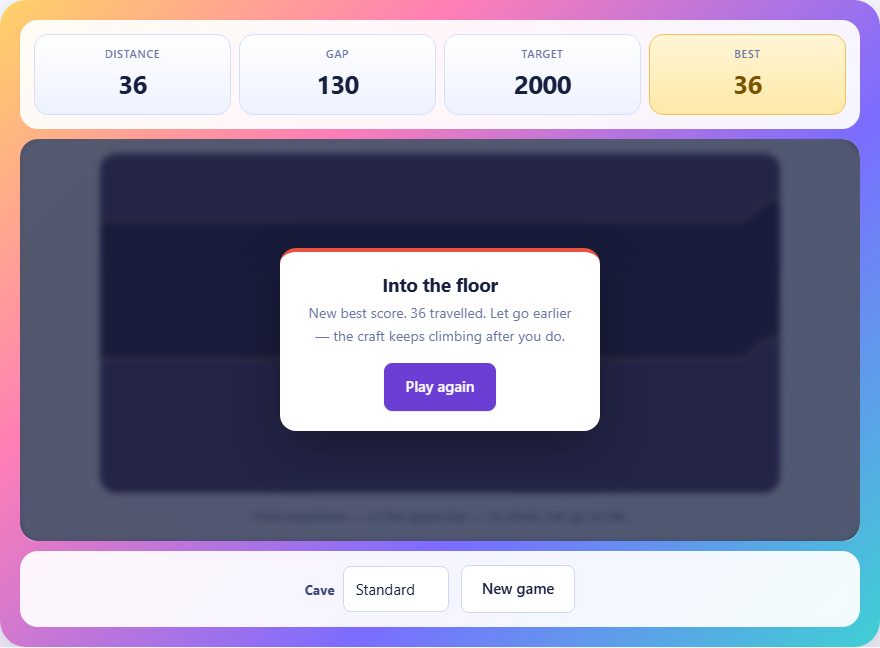
A green progress bar runs along the top of the cave. It fills from left to right as you travel. When it reaches the far edge, the run is complete. Below the game area, a stats bar shows three numbers: how far you have travelled, how wide the gap is at the craft's position right now, and the target distance you need to reach.
When the craft is climbing with the button held, a stream of small exhaust sparks trails behind it. When you crash, a burst of orange and red particles marks the spot.
Three cave widths
A dropdown next to the game lets you pick between Wide, Standard and Tight. Wide starts with a gap of about one hundred and fifty pixels and narrows slowly, giving plenty of room to learn the controls. Standard starts at one hundred and thirty and closes further. Tight starts at one hundred and twelve and reaches its minimum gap sooner.
The minimum gap on Wide is seventy-eight pixels. On Standard it is sixty-two, and on Tight it is fifty. The craft itself is about fourteen pixels tall. On Tight, the gap can shrink to roughly three and a half times the craft's height, which leaves almost no room for error.
Changing the cave width restarts the game. Each run is generated fresh, so no two attempts follow the same path.
How the cave is built so it stays possible
The cave is not stored as a whole level. It is generated one column at a time as it scrolls past. The roof position follows a random walk, drifting up and down in small steps. The floor follows the roof at a gap that narrows with distance.
The key design choice is that the roof's speed is limited, not its position. The roof can wander anywhere between the top and bottom of the screen, but it cannot jump more than a couple of pixels between one column and the next. Without that limit, the cave would occasionally produce walls that no human reaction could avoid. Clamping the rate is what makes every run physically possible.
Because the cave is generated on the fly, no two runs are the same. You cannot memorise a layout or learn a pattern. Every flight is a fresh test of your reflexes and timing.
The craft speeds up
The scrolling speed is not constant. It starts at a base rate set by the chosen difficulty and increases gradually with distance. On Standard, the base speed is about two point eight pixels per frame. By the time you have travelled a thousand units, it is noticeably faster.
Faster scrolling means less time to react. A gap that gave you half a second to adjust at the start of the run gives you a quarter of a second near the end. The same input timing that worked early on will send you into the wall later. You need to make decisions earlier and release earlier as the speed climbs.
The speed increase is smooth rather than stepped. There are no sudden jumps. You will not feel a moment where the game suddenly becomes harder. Instead, you slowly notice that your corrections need to start sooner.
Why early release matters
The craft does not stop climbing the instant you release. It has vertical velocity that carries it upward for a short time after you let go. This momentum is the single most important thing to understand in the game.
When you see a gap approaching and the roof is dropping, you need to release before you reach the gap, not when you are inside it. If you hold until the craft is level with the narrow point, the leftover upward speed will carry it into the ceiling. The release point should be a little below where you want the craft to end up.
The same applies to falling. After a long drop the craft builds downward speed. A single tap will not reverse that instantly. You need to hold a little longer to kill the downward momentum before the craft starts climbing again.
Flying the centre line
The most reliable habit is to keep the craft near the middle of the gap at all times. Staying centred costs nothing. It gives you equal room to correct upward or downward when the cave shifts.
Hugging the ceiling saves effort because you are fighting gravity less, but it leaves no room for the cave to move up. One unlucky upward drift in the roof and you have no space to react. The same is true for hugging the floor. The bottom feels safe because letting go is easy, but the floor rises to meet you when you least expect it.
The middle is the only position that handles both surprises equally. It is boring and it works.
Short taps beat long holds
A rhythm of quick taps holds a steady altitude far better than alternating between long holds and long drops. Each long hold builds up speed that must be cancelled with a long fall, and each long fall builds downward speed that needs a long hold to reverse. The craft bounces up and down in wide swings.
Quick taps keep the vertical speed low. The craft nudges up a little, drifts down a little, nudges up again. The total range of movement is small, and the corrections are gentle. This is especially important in Tight mode, where the gap barely has room for a full bounce.
On a phone, the same idea applies. Short presses with a fingertip rather than a sustained hold with a thumb. Lift often, press often. The craft should flutter rather than swing.
Common mistakes that end runs
- Holding too long and hitting the ceiling. The craft keeps climbing after you release. Let go sooner than feels right.
- Riding the floor to save effort. The floor rises as the cave narrows, and a craft that is already low has no room to react.
- Not adjusting for the speed increase. Inputs that worked at the start are too late near the end. Start your corrections earlier as the run goes on.
- Overcorrecting after a near miss. One close call leads to a panic hold, which overshoots into the other wall. Trust the short tap rhythm instead.
- Ignoring the gap number in the stats bar. It tells you how much room you have right now. When it drops below seventy, tighten your inputs.
What a crash tells you
When the run ends, the game tells you whether you hit the roof or the floor, how far you travelled, and a short hint about release timing. Look at which wall you hit. If you keep dying on the roof, you are holding too long. If you keep dying on the floor, you are not holding enough or you are releasing too early before a rise.
The distance number is the simplest measure of progress. Try to beat your previous run by a small amount rather than aiming for the end in one attempt. Incremental improvement builds the muscle memory that eventually carries you through.
No data leaves your machine
The cave, the craft, the collision check and the score all run inside your browser. Nothing is sent anywhere. There is no leaderboard to upload to, no replay to share, and no server to connect to. Your best distance is stored in your browser's local storage on your own device.
You can verify this by loading the page, disconnecting from the internet, and flying a run. Everything still works because the game was complete the moment the page finished loading.