
Giving plain typed text real typographic punctuation
A keyboard makes do with a few flat characters: one straight quote, one hyphen, a row of dots. Books and polished web pages use a richer set, with curly quotes, dashes of two lengths and a single ellipsis mark. This page moves text between the two worlds, in whichever direction you need, and handles the awkward corners that a plain find-and-replace gets wrong. What follows covers each switch, a full example, and when to run the whole thing backwards.
Why the flat version looks unfinished
Straight quotes and lone hyphens quietly announce that text came off a keyboard and was never dressed for print. In a book, a magazine or a careful blog the quotation marks curl toward the words they hug, a dash has a proper length, and three dots become one balanced mark. Readers seldom notice when this is right, and vaguely feel that something is cheap when it is not.
The hard part is the apostrophe. It is not just a left or right lean picked by turns. In a contraction it always leans the same way, and in a clipped year like the shorthand for the nineteen-nineties it leans that way too, even though it opens the word. Tools that merely alternate the marks get that backwards every single time, and the slip is the sort most people sense without being able to name it.
Where it earns its keep
A few situations send people back to this page again and again. Each one turns on getting the small marks right, which is where hand-editing is slow and error-prone.
- Polishing an article or blog post so its quotes and dashes read like print.
- Cleaning a passage pasted out of a word processor that curled the wrong marks.
- Matching a publisher or house style that asks for proper dashes and ellipses.
- Flattening a quote back to plain ASCII before it drops into code or a spreadsheet.
- Fixing a height or measurement so it wears prime marks rather than quotation marks.
One tool, two directions
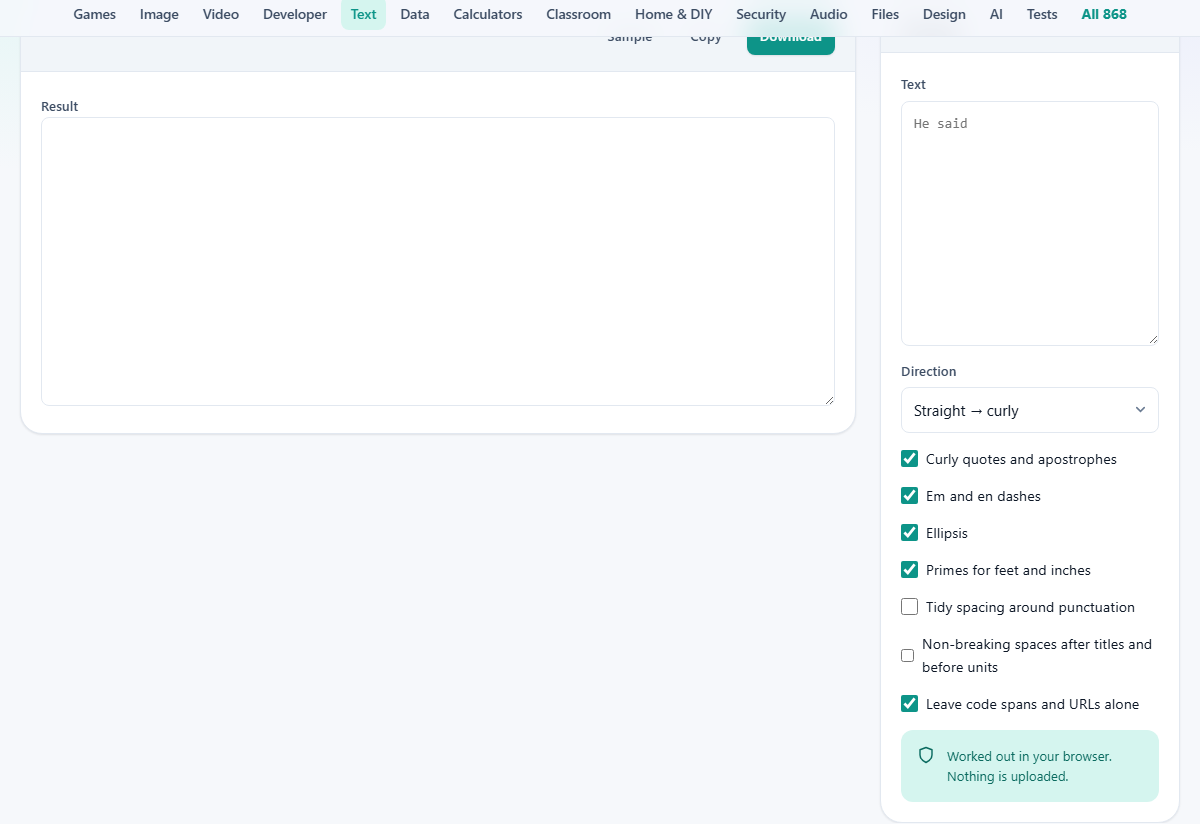
The Direction menu decides which way the change runs. Left on its default, Straight to curly, it dresses plain text up for publishing. Flipped to Curly to straight, it strips the fancy characters back down to their keyboard forms.
That reverse trip earns its place. Curly quotes and long dashes quietly break shell commands, comma-separated data and a good deal of older software that understands only plain ASCII. Before you paste prose into any of those, run it back to straight and the breakage never gets a chance. In this direction the tool flattens the lot at once, turning every curly quote, long dash, single ellipsis and non-breaking space back into its plain typed shape.
The text box and the tally
Paste your writing into the box on the right, marked Text. Prose, Markdown notes, a whole draft: each is welcome. The cleaned version appears on the left as you go, with no button to hunt for.
A small tally above the result keeps score of what it made, counting the curly double quotes, the curly single quotes, the em dashes, the en dashes and the ellipses it introduced. When there was nothing to change, it simply says as much.
Curly quotes and apostrophes
This box, on from the start, handles the quotation marks and every apostrophe. Opening and closing quotes are worked out from where they sit, so a mark following a space opens and a mark pressed against a letter closes. The apostrophes inside contractions and possessives are turned the right way as well.
It also recognises the shorthand cases that fool simpler tools: the apostrophe standing in for the first digits of a decade, the clipped joining word in rock and roll, and the old spelling of it is. Each of those is a closing mark even when it begins the word, and each comes out leaning the way it should.
Em and en dashes
Tick Em and en dashes and the tool sorts out the three horizontal strokes people so often muddle. A double hyphen, spaced or not, becomes an em dash, the long one that breaks off a thought partway through a sentence. A hyphen sitting between two figures becomes an en dash, the middle length that spans a range such as a run of years. A single hyphen joining two words is left alone, because joining words is its actual job.
Reaching for one plain hyphen to cover all three is the commonest punctuation error in printed work, and it is precisely the one this switch cures.
Ellipsis and primes
Two more boxes handle smaller marks. Ellipsis collapses a run of three or more dots into a single ellipsis character, which reads as one even, balanced mark rather than three cramped full stops. That is how a trailing-off or a cut in a quotation is set in print.
Primes for feet and inches deals with measurements. A height like six foot two is not written with quotation marks, though the keyboard tempts you into it; it takes a prime and a double prime, two straight-leaning strokes that are characters in their own right. With this box ticked, straight marks written after the numbers come out as the correct prime and double prime instead of curling into quotes.
Two extras that start switched off
Two options are left off because they alter more than the shape of a mark. Tidy spacing around punctuation squeezes any double space down to one, removes a stray space sitting in front of a comma or full stop, and adds the missing space after one when a letter runs straight up against it.
Non-breaking spaces after titles and before units is about line breaks. It swaps the ordinary space in a pairing like a number and its unit, or a title in front of a surname, for a non-breaking one, so the two are never split across a line end. Turn either on when you want its effect; leave them off and only the marks themselves change.
Leaving code and links alone
The final box, on by default, is Leave code spans and URLs alone, and it spares you a nasty own goal. A curly quote dropped inside a snippet of code, or into the middle of a web address, breaks it outright. So anything wrapped in backticks, any fenced code block, and any web link is set aside, converted around, and slotted back untouched.
If for some reason you do want the marks inside those pieces changed too, switch this off. Almost always, though, you want it exactly where it starts.
A worked example
Press Sample. It loads a few lines stuffed with traps: a sentence carrying a contraction and a decade shorthand, a double hyphen, a numeric range and a trailing row of dots, then a height in feet and inches beside a metric distance, and finally a line holding both a code snippet and a web address with a quote inside it.
With the defaults, the contraction and the decade both gain correctly leaning apostrophes, the sentence quotes curl, the double hyphen becomes an em dash, the year range becomes an en dash, the dots fold into one ellipsis, and the height picks up its prime and double prime. The code snippet and the link, meanwhile, arrive completely unchanged. That last detail is the whole point: the tool fixed the prose and flatly refused to touch the two things a fix would have broken.
Getting the result out
Above the result sit three buttons. Copy lifts the finished text onto your clipboard. Download saves it as a file called typography.txt. Sample reloads the demo whenever you would like it back.
From here the dressed-up text drops into your document or page. Or, if you ran the reverse direction, the flattened text drops safely into your terminal, your spreadsheet or your code, with none of the characters that would have jammed them.
Common slips, and other languages
The most frequent mistake is running text through twice the same way and hoping for extra polish on the second pass. There is none to be had. Once the marks are curled, curling them again does nothing, and the only real lever is the Direction menu. When a result looks wrong, check that menu before you check anything else.
One slip catches developers out: leaving the code protection on when you actually meant to convert the marks inside a snippet. If a quote in your code stubbornly stays straight, that switch is why, and turning it off lets the change reach in.
The last thing to know is that this makes English-style punctuation only. Several languages set their quotation marks in their own way; some use a low mark paired with a high one, others use angle marks with a space tucked inside. If you are typesetting in one of those, its own convention is the correct target and this tool will not produce it. For English prose, the marks it makes are exactly the ones you are after.
Where the work is done
The whole conversion happens in your browser, on the computer in front of you. Whatever you paste stays on the page and is never sent to a server, so a private draft or an unpublished manuscript is perfectly safe to run through it.
Nothing is held between visits, either. Close the tab and the text is gone, which is just how a tool that handles your unfinished writing ought to behave.