
Making typed words look as if a hand wrote them
This page takes text you type and draws it out on a sheet of paper in a handwriting style, with tiny wobbles that stop it looking like a font. The result is a picture of a page you can save or print. Here is what each control does, how to make the writing look natural, and where the tool stops being convincing.
What it is good for
The honest use is anything that wants a warm, informal look without you having to find a pen. A message inside a birthday card. A quote drawn on paper for a scrapbook. A soft-looking line for a poster or a mock-up. A page of neat writing for a child to trace over.
It is worth saying plainly what it is not for. The writing is one steady style from top to bottom, with none of the drift and mess a real hand leaves. It will look handwritten, but it will not pass as your own handwriting to anyone who compares it. So it is a fine choice for a note and a poor choice for anything you were meant to write out yourself.
Typing your notes
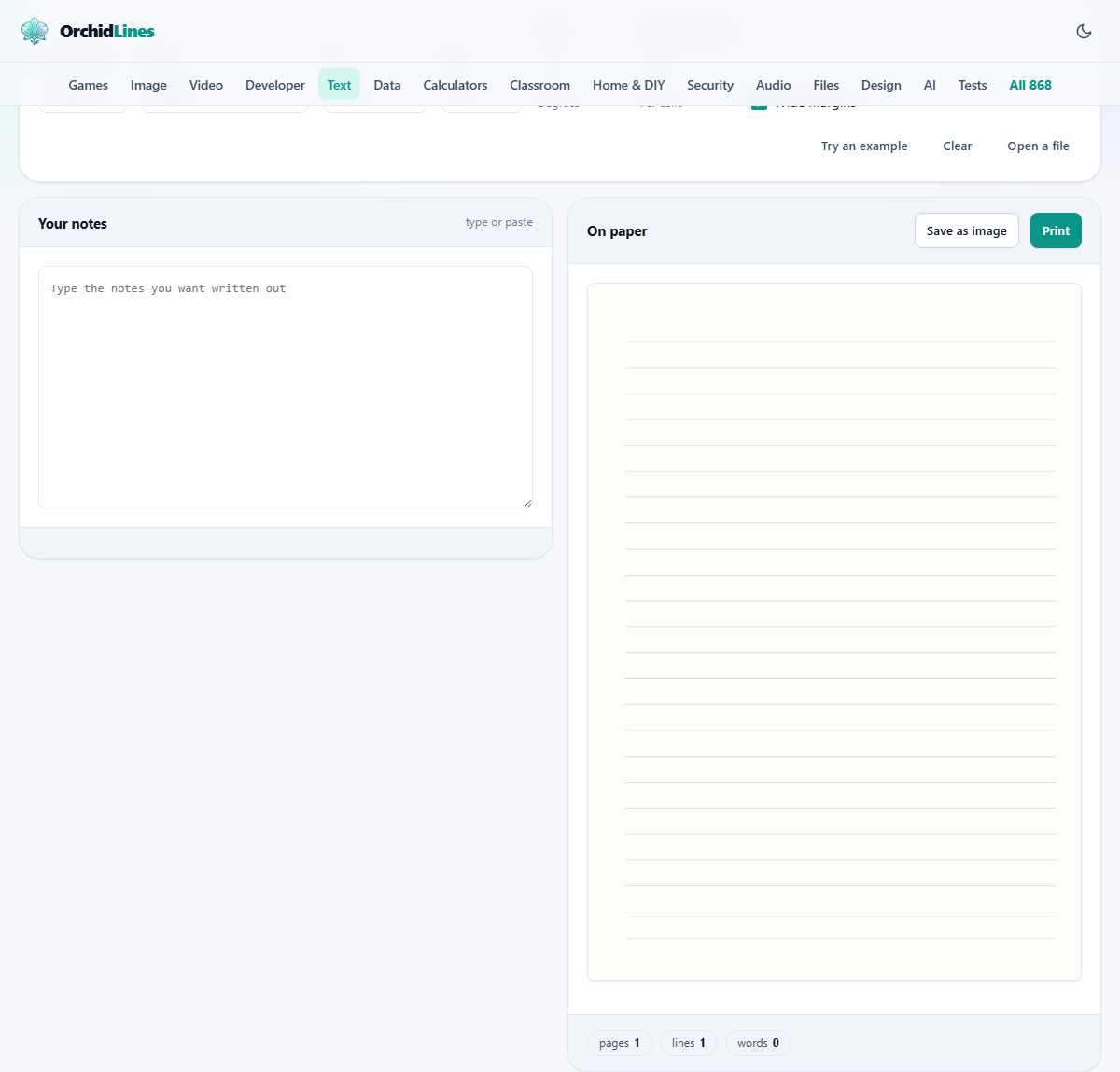
The box on the left, headed Your notes, is where the words go. As you type, the page on the right redraws to match. Your line breaks are respected, so if you write a poem or a list with one item per line, it stays laid out that way rather than running together.
Above the box are three buttons. Try an example loads a short letter so you can see the effect. Clear wipes the box. Open a file reads in a plain text file, useful when the writing is longer than you want to type again.
The Handwriting menu
The Handwriting menu picks the overall look of the letters. Casual is a relaxed everyday hand. Neat is tidier and more even, closer to careful printing. Cursive is looping and joined, the flowing style. Print keeps the letters separate and rounded.
Which to choose depends on the mood you want. Cursive suits a heartfelt card or a signature line. Neat or Print reads clearly for a note somebody has to actually follow. Casual sits comfortably in the middle for most everyday jobs. If you cannot decide, start with Casual and switch styles while watching the page, since the effect is easier to judge by eye than to picture in advance.
Paper
The Paper menu changes the sheet the writing sits on. Ruled draws the faint horizontal lines of a notebook. Plain is a blank page, which suits a letter or a card. Squared gives the small grid of a maths book. Ruled with a margin adds a red vertical line down the left, the look of a school exercise book.
The paper is drawn behind the words, so the writing always lands neatly on the lines when you choose a ruled sheet. Pick the one that matches the feeling you are after, whether that is a formal letter or a page torn from a schoolbook.
Ink
The Ink menu sets the colour of the writing. There are five choices: blue, black, dark blue, green and red. Blue and dark blue read as an everyday ballpoint or fountain pen. Black is the most formal and the easiest to photocopy.
Green and red are there for marking, for a splash of colour on a card, or for a teacher's comments. The colour touches only the letters, never the paper lines, so a red note on ruled paper still shows the pale blue rules underneath. If you are unsure, blue is the friendliest all-rounder and looks right on every paper here.
Size and slant
Size sets how big the letters are, on a scale from fourteen up to forty. Larger writing is bolder and fits fewer lines on a page, so a short greeting in big letters can fill a card nicely, while a long letter wants a smaller size to avoid spilling over many pages.
Slant tilts every letter, measured in degrees from minus twelve to plus twelve. A gentle two or three degrees reads as a natural rightward lean. Push it much past eight and the writing starts to look like a slanted typeface rather than a person in a hurry, so a light touch works best.
Natural variation, the control that matters most
Natural variation is the dial that decides whether the page looks written or typed. It runs from zero to one hundred per cent, and it governs how much each letter shifts, turns and changes size from its neighbours. At zero, every letter is identical and the whole thing gives itself away as a font.
Around the middle, at fifty or so, the wobble reads as a steady, careful hand. Near the top the letters jump about as if the writing were rushed. The default of fifty-five is a good starting point. Nudge it down for neat, up for hurried, and watch the page until it looks right to you.
Wide margins
The Wide margins tick box adds breathing room around the writing. With it on, the text sits well inside the edges of the sheet, which looks calmer and more like a real letter.
Turn it off to use more of the page, fitting more words on each line and each sheet. That is the choice when you have a lot to write out and would rather not spread it across extra pages.
What appears on screen
The right side shows the written pages as pictures. If your text runs long, it flows onto a second and third sheet automatically, each drawn in full below the last.
A small strip of chips underneath keeps a running tally: how many pages, how many lines, and how many words. A short status line confirms how many pages have been written. Because each letter's wobble is fixed to its position, the page does not reshuffle every time you press a key, which would be dizzying to watch.
Save as image or Print
Two buttons sit above the page. Save as image writes the sheet out as a picture. A single page comes down as one image file. If the writing spilled onto several pages, they are bundled together into a zip so you get one download instead of a burst of them.
Print opens your browser's print box, from where you can send the page to a printer or save it as a PDF. Printing tends to look crisper than the saved image, because it draws the letters at the printer's own resolution rather than at a fixed picture size. For the best quality on paper, print; for dropping into a message or a design, save the image.
A worked example: a line inside a card
Say you want a warm greeting to print and glue inside a birthday card. Type the two lines you have in mind, something like: For Amara, on your day. May this year be kinder than the last. The page draws them at once.
Now shape it. Set Handwriting to Cursive for a flowing feel. Choose Plain paper so there are no rules behind a card message. Pick Dark blue ink. Raise the Size to twenty-six so the short message fills the space, add a Slant of three for a gentle lean, and leave Natural variation near fifty-five. When it looks right, press Save as image and drop the picture into your card layout.
A second example: a tracing sheet
Teachers reach for this to make handwriting practice, and the settings pull the opposite way from a card. Now you want clean, even letters a child can copy, not a rushed personal hand.
Type the sentence to practise. Choose Neat or Print so the letters stay clear and separate. Set Paper to Ruled with a margin, giving lines to write between. Turn Natural variation right down, near ten, so the shapes stay steady and correct. Raise the Size so young hands have room. Print the sheet, hand it out, and let a pencil trace over the top.
Common mistakes and honest limits
The biggest misuse is trusting it to stand in for your own hand on something that matters. It cannot, because a real page carries corrections, tired patches and a hundred small inconsistencies this does not fake. Treat it as decoration, not as a forgery.
A smaller snag is very long words. Handwriting is never split with a hyphen here, so a single word that is wider than the line is kept whole and can reach past the margin. If that happens, a smaller Size usually settles it. And if a page looks too sparse or too crammed, the fix is almost always the Size box rather than anything else.
It is drawn on your own device
The page is painted by the browser in front of you. Whatever you type stays on your machine: it is not sent to a server, not kept, and not seen by anyone else. Closing the tab clears it.
So a private message, a card meant for one person, or a note you would rather not have floating around a network can be written out here in confidence. The picture you save is the only copy that exists, and it lives wherever you choose to put it.