
An editing pass you can actually finish
Every writing guide says to cut the padding, and almost nobody does it, because rereading a whole draft hunting for weak words is slow and dispiriting. This article looks at what the checker flags and why, how to work through a marked-up draft without flattening your voice, and the moments when a flagged word deserves to stay.
The problem with self-editing
Writers cannot see their own habits. The tenth time you write basically in one report, it reads as normal to you, because it is normal, for you. A colleague would spot it instantly. The checker plays the role of that colleague: it reads the draft cold and points at every word that tends to carry no weight, then leaves the verdict to you.
The value is in the pointing, not in any score. A draft with thirty highlights is not a bad draft, it is a draft with thirty decisions waiting. Some of those decisions take one second, delete it, and a few take longer because the sentence needs rebuilding. Either way the work becomes finite. You are no longer rereading everything hoping weakness jumps out; you are visiting a fixed list of places where it usually hides.
Four habits, four colours
The marked-up pane uses a different colour for each category of padding, and the categories fail in different ways, so it pays to know which is which.
Fillers are the intensity words: very, really, quite, just. They promise emphasis and deliver none, because a truly big number does not need very in front of it. Hedges are the confidence leaks: I think, sort of, maybe, it seems. Cliches are the ready-made phrases, at the end of the day and its relatives, which readers skim past precisely because they have read them a thousand times before. The fourth category, adverbs ending in ly, is subtler and has its own switch, covered next.
The adverb switch and why it exists
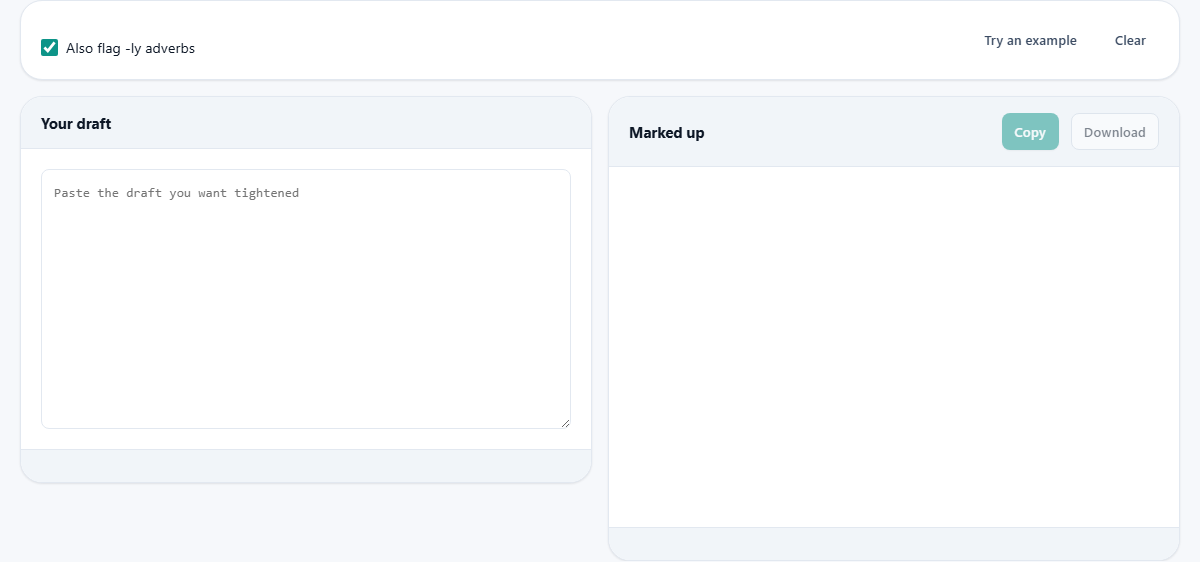
The one option on the page is a tick box labelled to also flag ly adverbs. It is on by default, and it is the only category you can silence, because it is the only one that is frequently innocent.
The theory behind flagging them: an adverb propping up a verb often marks a weak verb choice. Walked quickly is hurried; said loudly is shouted. Rewriting to the stronger verb shortens and sharpens the sentence at once. But plenty of ly words are doing honest work, and plenty of others are not adverbs at all. The checker already skips obvious false friends, words like only, family and friendly, yet in some drafts the category still produces more noise than signal. When the highlights start feeling like nagging, untick the box and deal with the other three categories in peace.
Reading the marked-up pane
Paste your draft on the left, under the heading for your draft, and the right-hand pane rebuilds as you type. There is no submit step and no delay; each keystroke re-scans the whole text, so you can watch a highlight vanish the moment you fix its sentence. Below the marked-up view, a row of counters totals each category, and a summary line puts the flags in proportion to the length of the text.
Proportion is the number to watch. A handful of flags in a long piece is normal human writing. The help above suggests a rough comfort line of about two flags per hundred words, and it cuts both ways: far above it, the prose is padded; at zero, you have probably sanded away the rhythm that makes writing sound like a person. Aim for fewer, not none.
Two buttons for getting started
If you want to see the categories in action before trusting the tool with real work, the button offering an example loads a deliberately flabby sample passage. It is stuffed with every kind of padding at once, so the four colours all appear and you can learn to tell them apart on text you have no stake in. Watching the sample also teaches the tool's temperament: it flags generously within its lists but never guesses beyond them.
The other button clears everything in one press. That matters more than it sounds, because the natural way to use this page is in rounds: paste a section, tighten it, carry it home, clear, paste the next section. Working a long document in slices like that keeps the counters meaningful. Totals for a whole report blur together; totals for one section point somewhere.
Worked example: a cover letter, tightened
Take a real case. Dan is applying for a support-team lead role and pastes in a 210-word cover letter. The counters come back with nine fillers, five hedges, one cliche. The hedges cluster in his key sentence: I think I could probably bring some real improvements to the team. For a sentence whose whole job is to ask for something, that is three apologies deep.
He deletes I think and probably, then swaps some real improvements for two concrete ones, faster first replies and a written handover routine. The sentence now claims something checkable. He clears seven of the nine fillers in under a minute, keeps very in one place where the contrast genuinely needs it, and rewrites the cliche outright. The letter drops to 176 words and reads like someone certain of what they are offering. Nothing the tool did was clever; it just made the weak spots impossible to skim past.
Delete first, then listen
The efficient rhythm is two passes. First pass: walk the highlights and delete every one whose sentence survives unchanged without it. Most will. Do not reword anything yet, just remove.
Second pass: read the whole piece aloud, or mouth it. Anywhere a sentence now sounds clipped or rude, the cure is almost never to restore the filler. It is usually a stronger verb, a concrete noun, or splitting one overloaded sentence into two. Reading aloud also catches the thing no highlighter can: a sentence that is technically clean but has no pulse.
What Copy and Download give you
The two buttons above the marked-up pane behave differently on purpose. Copy takes the text so you can carry it back to wherever the draft lives. Download saves a file containing your original words without the highlight markup, because the colours are a reading aid for the screen, not something you would want baked into a document.
This also means the tool never edits for you. There is no fix-all button, and that is a feature. Every deletion passes through your judgement, which is the only thing keeping the piece sounding like you wrote it.
When a flag deserves to survive
- Dialogue and quoted speech: people hedge when they talk, and scrubbing that out makes characters sound like machines.
- Deliberate softening: in a sensitive email, I think this may be wrong can be kinder than a bare statement, and kindness is sometimes the goal.
- True intensifiers: occasionally very is the exact measurement you mean, and swapping it for a fancier word would be worse.
- Voice: if a mild verbal tic is part of how you sound on the page, keep a little of it on purpose rather than by accident.
Writing that asks for things
One class of writing benefits from this checker far more than the rest: anything that makes a request. Pitches, applications, proposals, asking a landlord to fix the heating. Hedged requests invite refusal, because the hedge does the refusing in advance. The same sentence with the qualifiers removed is not aggressive, it is simply clear about what is being asked.
Before sending anything of that kind, a thirty-second paste here is cheap insurance. Look only at the hedge colour and only at the sentences that carry the ask. That narrow check, done every time, changes outcomes more than any amount of general polishing.
Where this tool stops
The checker reads words, not meaning. It cannot tell you the argument is out of order, the opening buries the point, or paragraph four repeats paragraph two. A companion tool on this site scores how hard your text is to read overall, sentence length and word difficulty, and pairs naturally with this one: score the draft there, then come here to fix the specific words dragging it down.
One more boundary worth naming. The draft you paste, often a cover letter, an unsent apology, an unpublished chapter, is exactly the kind of text you would not want on someone's server. It is not on one. The scanning and counting run inside the page on your own machine, nothing is transmitted anywhere, and when you close the tab the draft exists only where it always did, with you.