
Turning one set of source details into five correct references
The help panel lists the four basic steps. This piece goes further. It explains how the source menu reshapes the form, what each field is really asking for, how the five styles pull the same facts into a different order, and how to lift out the exact one your course wants.
Why one source needs five answers
An essay is due, and the last page has to be a reference list. Your department has picked a style, and the choices do not agree with each other. One puts the year next to the author. Another hides it near the end. One spells out first names, another cuts them to initials. Getting this wrong is an easy way to lose marks for work that is otherwise fine.
This tool asks for the source once and writes it out in all five common styles at the same time. You see them stacked, so the differences are plain, and you copy the single version your marker asked for. Nothing about the source is looked up online. You type what you know and the page arranges it.
Start with the kind of source
The Kind of source menu is the first control, and it changes everything below it. A book and a web page do not carry the same facts, so the form on the right swaps its fields to match what you have picked. Choose the wrong kind and you will be asked for details that do not exist.
There are seven kinds to pick from:
- Book, which asks for an edition, a publisher and a place.
- Journal article, which asks for a volume, an issue, pages and a DOI.
- Web page, which asks for the site name, the link and the date you read it.
- Newspaper article, close to a web page but with room for pages.
- Video, which treats the uploader as the author and the channel as the container.
- Chapter in a book, which adds an editors field and the book it sits inside.
- Thesis or dissertation, where the edition box holds the degree instead.
The fields, and what each one wants
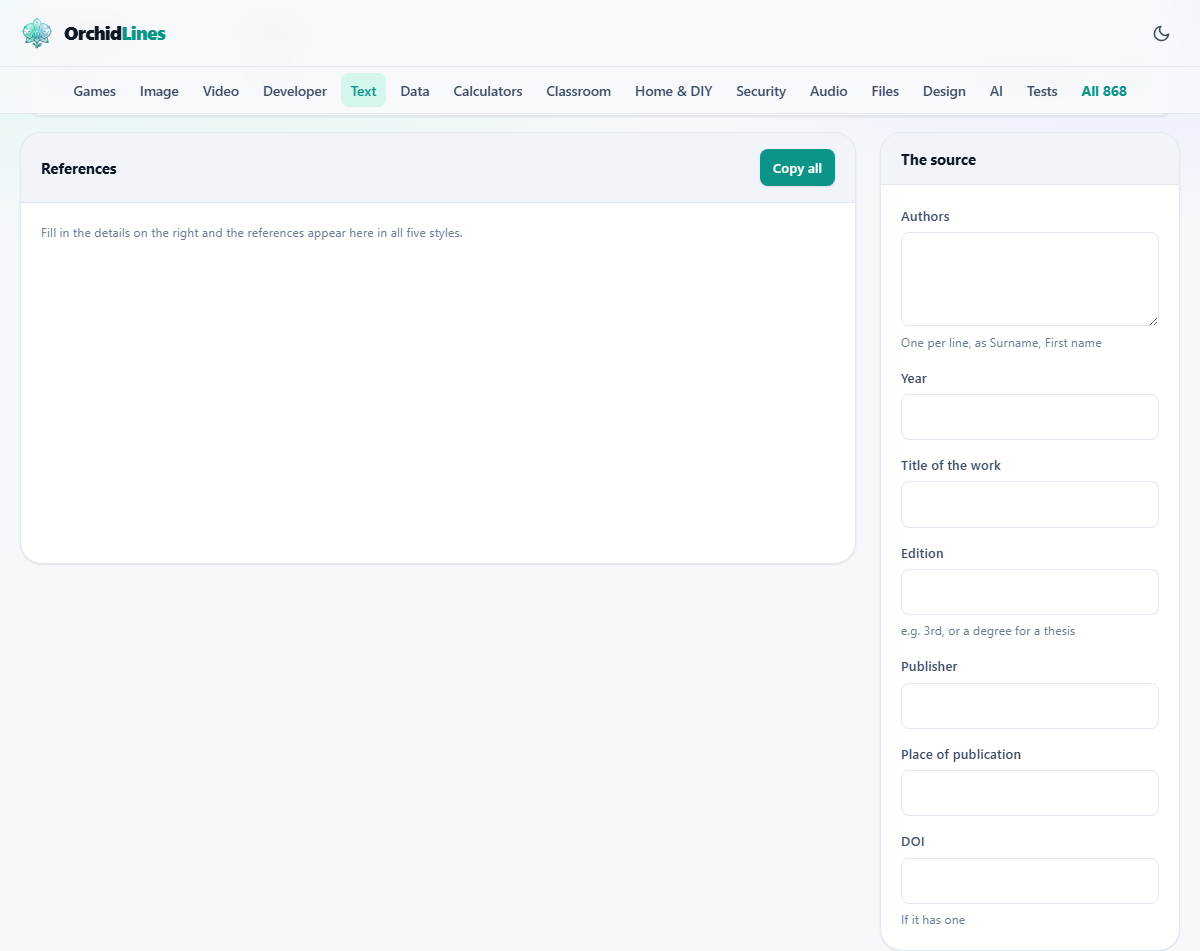
The panel headed The source holds the boxes you fill in. Only the ones that matter for your chosen kind appear. Here is what the labels mean:
- Authors: one name per line, written surname first, then a comma, then the rest of the name.
- Editors: the same layout, shown only for a chapter.
- Year: the year of publication. Leave it empty and every style prints n.d., short for no date.
- Title of the work: the title of the piece itself.
- Journal, site or channel: where the work appeared.
- Edition: such as 3rd. For a thesis, put the degree here.
- Volume and Issue: the two numbers a journal carries.
- Pages: a range, such as 112-137.
- Publisher and Place of publication: used for books and theses.
- Link: the web address.
- DOI: the short code a journal article often has.
- Date you looked at it: a real date box, printed by some styles and ignored by others.
The Highlight menu and the stack of results
The second menu at the top is Highlight. It does not change the facts. It picks which of the five styles gets a coloured border and rises to the top of the References panel, so the one you care about is easy to find while the other four stay in view for comparison.
Two small buttons sit beside those menus. Fill an example loads a ready-made source with two authors and every field filled, which is the quickest way to see what a finished reference looks like before you type your own. Clear empties the form so you can start again.
Each style sits in its own small card with a Copy button, so you can grab just that one. The Copy all button at the top of the References panel takes the whole set. There is also a save option that writes a plain text file holding all five references plus their in-text forms, which is handy when you are building a list across several weeks.
A worked example, one journal article
Say you are citing an article. You choose Journal article, then type Nakamura, Aiko on the authors line, 2020 for the year, How rivers shape cities as the title, Journal of Urban Studies as the journal, 14 as the volume, 2 as the issue, 88-104 for the pages, and a DOI. As you type, the cards fill in.
The APA card reads: Nakamura, A. (2020). How rivers shape cities. Journal of Urban Studies, 14(2), 88-104, with the journal name in italics and the link on the end. The MLA card reads: Nakamura, Aiko. "How Rivers Shape Cities." Journal of Urban Studies, vol. 14, no. 2, 2020, pp. 88-104. The Harvard card keeps the year by the author and puts the title in quotes with single marks.
Notice what moved. APA shrank the first name to an initial and used sentence case for the title. MLA kept the full first name and used title case, capitalising the main words. The year jumped from just after the author in APA to near the end in MLA. Chicago and IEEE take those same parts and shuffle them again. Once you have seen it happen, the rules feel less like a puzzle.
How the author line is reshaped
The names take the most punishment when a style is applied, and seeing it side by side helps. Suppose two people wrote the article: Nakamura, Aiko on the first line and Owusu, Kwame on the second.
APA turns that into Nakamura, A. and Owusu, K. joined by an ampersand. MLA writes the first author surname-first, then adds the second the natural way round: Nakamura, Aiko, and Kwame Owusu. Harvard uses initials joined by the word and. Chicago flips only the first name. IEEE moves the initials in front of the surname, giving A. Nakamura and K. Owusu.
Add a third author and the styles part ways again. APA and Harvard keep listing every name. MLA gives up after the first and prints et al. instead, and the in-text markers do the same thing once there are three or more names. This is why the order you type the authors in matters so much: the first name is the one every short form is built from.
Reading the in-text citation
Under each reference is a smaller line marked In your text. That is the short marker you drop into a sentence, not the full entry from the list. For the article above, APA and Harvard both show (Nakamura, 2020). MLA shows the surname with the first page number instead of the year. Chicago pairs the surname and year with a page.
These forms shift with the number of authors. With two authors, the names are joined; with three or more, the first name is followed by et al., Latin for and others. IEEE is the odd one out: in the body it uses a bracketed number like [1], because IEEE lists sources in the order they are cited rather than by name.
Small slips that change the output
Most surprises come from how the names are typed. A few things are worth watching:
- Write the surname first with a comma. If you type a name the natural way round, the tool treats the final word as the surname, which fails for names built from two words.
- Keep authors in the order printed on the source. No style re-sorts names inside a single reference, so the order you type is the order you get.
- A blank year is not an error. It becomes n.d. on purpose, but check you really meant to leave it out.
- Leaving the author blank is allowed. The title then moves to the front, which is what each style does for an unsigned work.
When another tool fits better
This page follows the common form of each style. Many universities publish their own tweaked version of Harvard in particular, changing a comma here or an italic there. If you were handed a one-page guide, treat that sheet as the final word and adjust the copied text to match it.
The tool is built for making one clean reference at a time and copying it out. If you are running a long thesis with hundreds of sources, a full reference manager that stores a library and drops citations in as you write will save you more effort. For a handful of entries, or a quick check of how a style is shaped, typing them here is faster than setting all that up.
Your details stay on your machine
The references are assembled by code running inside the page. No part of your source is sent to a server, and there is no lookup that phones out for a title or an author. What you type is what gets formatted, and nothing else leaves the tab.
The form also remembers itself. What you enter is kept in your own browser, tied to this one tool, so a half-filled reference is still there when you come back. The Clear button empties it when you want a fresh start, and clearing your browser data removes it too.
The save option is local in the same way. The text file it writes is put together in the page and downloaded straight to your device, so even the copy you keep for your records never passes through anyone else's hands.