
Scrambling letters the old-fashioned way
Long before computers, people hid messages by sliding letters around the alphabet. Those old codes are still fun, and still taught, because you can work them with a pencil. This page runs four of the classics for you: ROT13, the Caesar shift, Atbash and the keyword code named after Vigenere. This guide explains what each one does, which controls turn on for which code, and how to crack a Caesar when you do not know the setting.
What these codes are for
These are the ciphers of puzzle books, escape rooms, treasure hunts and coding lessons. You meet them in a riddle that spits out a line of nonsense letters. You meet them when a class is learning how secret writing began. You meet them when a forum hides the end of a story so it does not spoil it for everyone.
They are simple on purpose. Each one just moves letters around the alphabet by a fixed rule. That makes them a joy for a puzzle and a good way to learn the idea of a code. It also makes them easy to break, which this page is honest about rather than pretending otherwise.
Picking a code
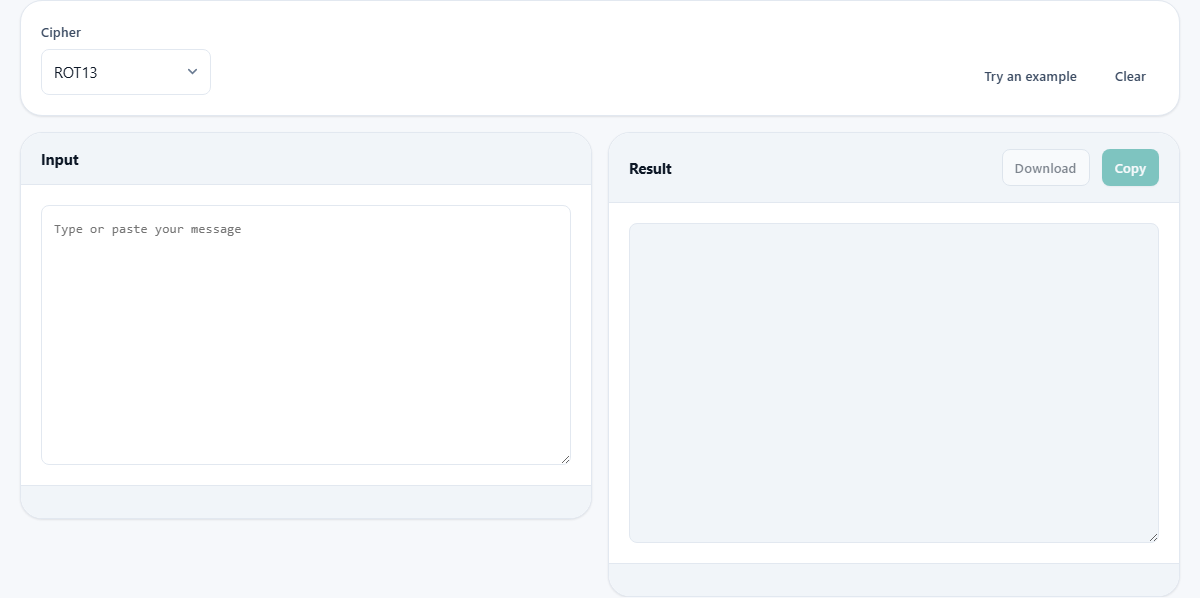
The first menu, Cipher, chooses which of the four you are using. ROT13 is the one you see most online. Caesar shift lets you pick how far the letters move. Atbash flips the alphabet end to end. Vigenere uses a secret word to vary the moves.
Your choice here changes the page. Some codes need extra settings and some need none, so the tool shows only the controls that matter for the code you picked. Nothing else clutters the panel. That is why the row of options looks different from one code to the next.
The settings that appear
Three controls come and go depending on the code. Direction is a simple Encode or Decode switch. It shows up for Caesar and Vigenere, where the two ways round are different. It hides for ROT13 and Atbash, because those two undo themselves and the direction would make no difference.
Shift by is a slider that appears only for Caesar. It runs from one to twenty-five, and the number beside the label shows where you have set it. Keyword is a text box that appears only for Vigenere. It comes filled with a starting word, which you replace with your own. Set the code, and the right controls are simply there.
Typing your message
The left pane, Input, is where your message goes. The right pane, Result, shows the scrambled or unscrambled version, and updates as you type. You never press a run button.
Only letters are touched. Spaces, numbers and punctuation slide straight through unchanged. That is deliberate, and it keeps the shape of the message readable, so word lengths and line breaks survive. It is also why a coded message still looks like a message, with the same gaps, rather than one solid block.
A Caesar shift, worked through
Choose Caesar shift, set Direction to Encode, and drag the slider to three. Press Try an example and the input fills with the line Meet me at the old bridge at midnight. The result pane reads Phhw ph dw wkh rog eulgjh dw plgqljw. Every letter has moved three places up the alphabet, so M became P and e became h, while the spaces stayed put.
To read it back, the receiver sets the same code with Decode chosen and the slider on three. The scrambled line goes in and the plain message comes out. The small counts under the result confirm what you did, showing the number of letters and the name of the code, in this case Caesar shift three.
Cracking a Caesar you cannot read
The real fun is breaking one without the key. A Caesar shift has only twenty-five possible settings, so you can simply try them all. When Caesar is chosen, a panel called Try every shift appears below the result. Press Show all twenty-five shifts.
The panel lists every shift in turn, each with the start of your message decoded that way. It uses only the opening stretch of your text, which is plenty to spot the right one and keeps the list quick to scan. You read down it. Twenty-four lines are gibberish, and one turns into plain English. That readable line is the answer, and its shift number is the key. This is genuinely how these puzzles are solved, and doing twenty-five tries by hand is exactly the chore the panel spares you. Once you know the shift, you can go back to the main panel, set Decode with that number, and turn the whole message readable in one step.
The two that undo themselves
ROT13 and Atbash share a neat property: run either one twice and you are back where you started. That is why they need no Direction switch. ROT13 moves every letter thirteen places. Since the alphabet has twenty-six letters, thirteen is exactly halfway, so a second pass completes the loop. This is how forums once hid spoilers, since one button both hid and revealed them.
Atbash swaps each letter for its mirror. A trades with Z, B trades with Y, and so on down the line. Do it again and every pair swaps back. With either code chosen, a small note under the result reminds you that the code undoes itself, so you never have to hunt for a decode option that is not there.
Seeing a self-undoing code work
A quick example makes the loop obvious. Choose ROT13 and type the single word Spoiler. The result reads Fcbvyre. Now copy that result, clear the input, and paste Fcbvyre back in. The result turns straight back into Spoiler. One code, one button, and it reveals as easily as it hides.
Atbash behaves the same way, just by a different rule. Choose Atbash and type cat. The result reads xzg, because c mirrors to x, a mirrors to z, and t mirrors to g. Feed xzg back in and cat returns. This is why neither code offers a Decode option. There is nothing to choose, since the one action is its own reverse, and the note under the result says as much so you are never left looking for a switch that does not exist.
Vigenere and its keyword
Vigenere is the strongest of the four, because the amount each letter moves keeps changing along a secret word. Choose it and a Keyword box appears. Type a word, and each letter of your message is shifted by the next letter of that word, looping the word as it goes.
A few rules keep it steady. Only the letters of your keyword count, so its capitals and any punctuation are ignored, and a word typed two ways behaves the same. The keyword must not be empty, and the page will say so if you clear it. One warning worth heeding: a very short keyword is weak, and a keyword of a single letter is really just a Caesar shift wearing a disguise. As a tiny example, the keyword cab turns hello into jemno, and the same keyword with Decode turns jemno back into hello.
The buttons around the panes
Two small buttons sit up by the settings. Try an example drops in a ready message so you can watch a code work without inventing one. Clear empties the input for a fresh start.
Above the result are two more, greyed out until there is something to hand over. Copy places the result on your clipboard. Download saves it as a plain text file named cipher.txt. Because the result is read-only, you can copy it freely and never nudge a letter out of place while you do. If you are passing a coded message to a friend, remember they need the same code and the same setting to read it, so send those along by some other route.
When this is the wrong tool
Reach for this page for play and for learning, and never for a real secret. These codes were cracked long ago, and a modern computer unravels any of them in a blink. Use them for a puzzle you are making, a game you are running, or a lesson on where the whole idea of coded writing came from.
If a message truly has to stay private, none of these will protect it. That job needs proper modern encryption, which is a different kind of tool entirely. And if you have a scrambled message and no idea which code made it, the frequency helper on this site can point you at the likely method before you come here to undo it.
Everything stays on your machine
The scrambling and unscrambling happen right here in your browser. Your message is handled on your own device, and nothing you type is sent away, logged or saved on a server. For a puzzle that is a convenience, and for anything you would rather keep to yourself it is the point.
Your last message and settings are remembered on this device, so the page opens as you left it. That memory is local and private to this browser. Clear the box, and what you wrote is gone.