
Moving a typeface between the desktop and the web
What the table of details is telling you, what each menu option does, what the saved file and the rule beside it are for, and the handful of things this cannot do and says so.
Two homes for the same letters
A font file lives in one of two worlds. On a computer it is installed, and every program can then use it. On a web page it is a file the browser fetches, like an image, and it works only for that site. The letterforms are identical. The wrapper around them is not.
That gap is where the annoyance starts. You buy or download a face, it arrives as a file your machine is happy with, and your website wants a different shape of the same thing. Or the opposite: you find a face on a site you built years ago and want it in your drawing program.
This page moves a font between those two wrappers, and on the way reads out what the file says about itself, which is often the more useful half.
- A logo font from a brand pack that has to go onto the company site.
- A web font from an old project that you want to install and try in a poster.
- A file with no readme, where the only record of who made it is inside the file.
- A licence question you need to settle before the font goes anywhere near a server.
What appears the moment a file lands
Drop a file on the dashed box, or click it and choose one. One file at a time. Before anything is converted, a table of facts appears.
The first four rows describe the container. Format says whether this is a web font or an installable one. Outlines names the way the letter shapes are drawn, and uses the file's own words for it: glyf for one method and CFF for the other. That single difference is most of what separates TTF from OTF. Tables counts the named blocks inside, because a font is not one lump but a set of parts, one holding shapes, another spacing, another the names. File size rounds off the length.
Under those come whatever the maker wrote into the file. Family, Style, Full name, Version, Copyright, Trademark, Designer, Manufacturer, Vendor, the PostScript name that older software uses, links to the designer's site, and the licence text. Rows only appear if the file has them, so a bare file shows four lines and a rich one shows fifteen. Very long values are cut off after a few hundred characters so the table stays readable.
The licence rows, and the warning above them
For most people this is the reason to open the page at all. Fonts are licensed software, and the terms for putting one on a website are usually separate from the terms for installing it. A free download is often free to use in a document and not free to serve to visitors.
The text stored in the file is not a contract on its own, but it is the maker's own words travelling with the file, and the fastest way to learn what you are holding. If that text carries phrasing that often signals a restriction, an orange notice appears telling you to read it before converting or embedding. Take that seriously. It costs a minute, and a licence complaint costs a great deal more.
The two settings
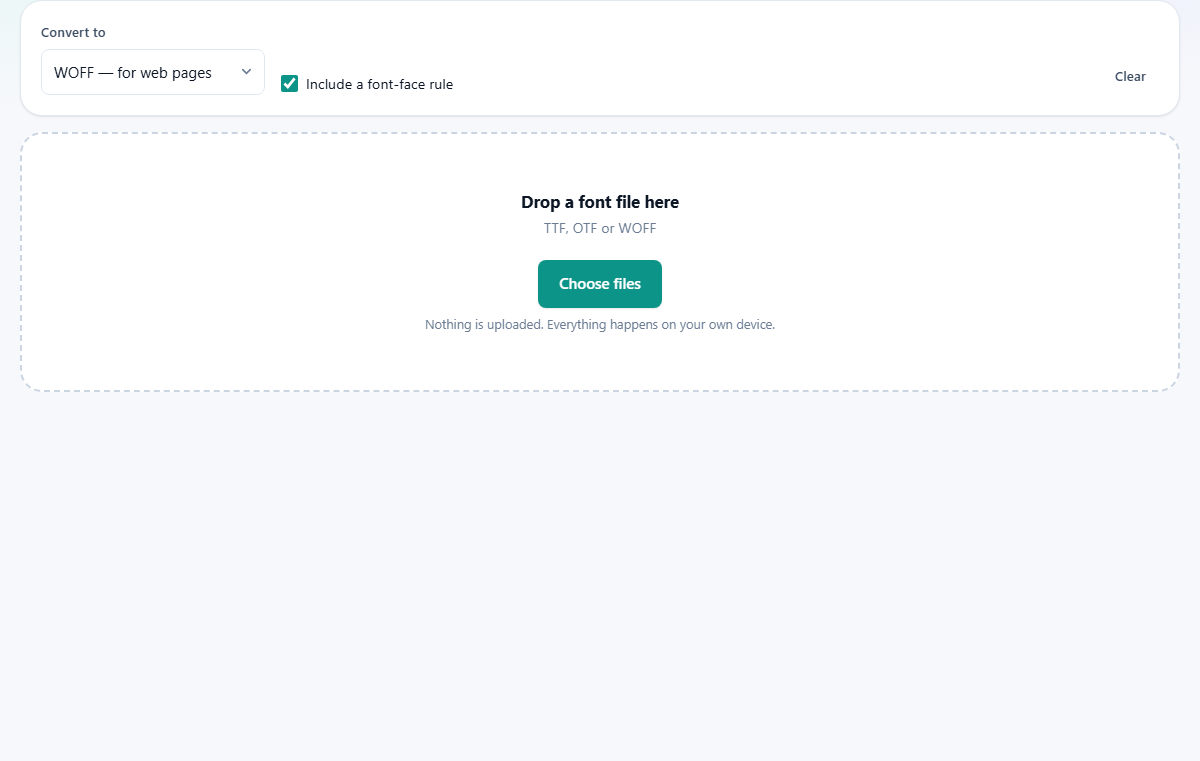
There are only two, and they sit in the strip above the drop box.
- Convert to, with three choices. The web option wraps the font for a page and squeezes the parts as it goes. The installing option unwraps a web font back into a file your system can accept, choosing the right ending for you based on how the shapes are stored inside. The third choice asks for nothing but the facts, and is the one to pick when you only want to read the licence.
- Include a font-face rule, ticked by default. It adds a small block of stylesheet text under the result, ready to paste into your own. Untick it if you are converting for a program rather than a page.
- Clear empties the panel and forgets the file.
What you get back
Three figures appear under the table: what it was converted to, the new size, and the change as a percentage with a plus or minus in front. Going towards the web the number is usually a healthy minus. Coming back the other way it is a plus, because unwrapping restores the parts to full length. Nothing has been lost either way; only the packing changed.
Then there is a button that names the file it will save, built from the family name inside the font rather than the name of the file you dropped in. Spaces and odd characters become dashes, so the result is safe on any server. Press it and your browser saves the font like any other download.
If the rule box is ticked, a small stylesheet block follows. It names the family, points at the file, states which format it is, and sets the loading behaviour so that words show in a stand-in face while the font arrives, instead of the page sitting blank. Copy it into your stylesheet, then use that family name in your own styles.
A worked example
You have been sent MarramSans-Regular.ttf, 412 KB, and it has to go on a website by Friday.
Dropping it in shows Format as the installable kind, 17 tables, and a set of names: Family reads Marram Sans, Version reads 2.104, Designer and Copyright are filled in, and there is a paragraph of licence text. You read it. It permits web use, and no orange notice appears.
The menu is already on the web option and the rule box is already ticked, so the result is waiting: converted to WOFF, new size 189 KB, change minus 54 per cent. The button underneath reads Save Marram-Sans.woff.
Below it sits the rule. It declares the family as Marram Sans, points at Marram-Sans.woff, and marks the format as woff. You save the font into the same folder as your stylesheet, paste the rule at the top of that stylesheet, and write the family name into your heading style. Reload, and the headings change.
One thing to watch in that rule: the address it uses is the plain file name, which assumes the font sits beside the stylesheet. If you keep fonts in their own folder, edit that one line to match.
The limits, stated plainly
There is a newer web format, WOFF2, which is smaller again. It gets there with a packing method called Brotli, and browsers do not offer Brotli packing to the pages they run. So a WOFF2 file cannot be built in a tab, and cannot be unwrapped in one either. Drop one in and a clear message says so, which is better than a broken result. A font program on your own machine does it in a moment.
Nothing is thrown away during a conversion, which sounds good and has a cost: every character stays, including alphabets your site will never print. For a face covering many languages that is most of the weight. Trimming a font down to the characters you actually use saves far more than any change of wrapper, and needs a tool that can rebuild the shape tables.
The file is read as a font straight away, so anything that is not one shows itself at once, either as a red message or as an obviously wrong table. It is a converter and a reader only: it never edits the names, the spacing or the shapes.
Where people get stuck
- A blue line saying the file is already in that format. You asked for the wrapper it already has. Change the menu to the other direction, or to the facts-only option.
- The site still shows the old face. Nine times out of ten the font file itself was never copied to the server, or the address in the rule does not match where it ended up. Open the font address directly in a browser to check it is really there.
- The family name has a space in it. The generated rule already puts quotation marks around it, so keep them when you use that name elsewhere in your styles.
- Converting to the installable direction and getting a bigger file. That is correct and expected. Packed text always grows when it is unpacked.
- A message saying the browser cannot pack or unpack. Those two engines are built into current browsers, so only an old one will refuse.
When another page suits the job better
- You want to see the face rather than its paperwork: the Font Previewer puts your own words in it at any size, and lists the characters it holds.
- You have a font file that will not open anywhere and you want to know what it really is: the Hex Viewer shows the opening bytes, which name the format regardless of the file name.
- You need the newest web format, or a trimmed down version, or several weights merged: that is a job for a font program on your own computer.
- You are choosing between faces rather than converting one: preview them side by side first, then come back here once the decision is made.
The font never leaves your computer
This matters more with fonts than with almost anything else. Many licences forbid passing the file to a third party at all, and sending a font to a website to be converted is doing exactly that. There is nothing to forbid here, because there is nowhere for it to go.
The file is read into the tab's memory, its parts are unpacked or packed by the compression built into your browser, the new file is assembled in memory, and your browser hands it to you as a download. No copy is kept, and closing the tab is the end of it. The licence text you read was pulled out of the bytes on your own disk, not looked up anywhere.