
Fair classroom job rotas without a hat
Why a cycle beats a raffle for handing out jobs, how each setting on the page works, a step-by-step example for a class of thirty, and the maths behind when repeat assignments creep in.
Slot numbers, and the step that walks the job list round
Every turn the rota will ever hand out gets a number, counting from zero. The number is the week times the turns given out each week, plus the place inside that week. With five jobs, week one holds slots 0 to 4. Week two holds slots 5 to 9.
The child is picked by remainder. Divide the slot number by the class size and keep what is left. With thirty names, slot 0 is the first name and slot 29 is the last. Slot 30 wraps back to the first name again. That one line carries the whole fairness claim. The first thirty slots give one turn to each of the thirty children before anybody gets a second.
How many turns go out each week is the smaller of the two counts: jobs, or children. Ten jobs in a class of eight means eight jobs are done each week, and the last two wait their turn.
The job is the place in the week, plus a shift, wrapped round by the job count. Without the shift, a child could meet the same job on every turn. The shift grows by a step the code calls g. It is the smallest whole number from 1 up where the class size plus g shares no factor with the job count. Thirty children and five jobs: 31 and 5 share nothing, so g is 1. Twenty-seven children and four jobs: 28 and 4 both divide by 4, so g becomes 2, because 29 and 4 share nothing. The search stops if g ever reaches the job count.
The reason for that plus is small but neat. A child comes back on duty exactly a class size of slots later. Left alone, the job would move on by the class size each time, and that drops them back where they began whenever the two counts share a factor. Adding g removes the shared factor.
The shift is counted by pass, not by week. It is the number of full trips through the class finished before that week starts, times g. Every cell in one week gets the same shift, so each job still shows up once a week and never twice.
- Caps: 200 names, 40 jobs, 52 weeks. Lines past a cap are dropped.
- Weeks is rounded to a whole number and held between 1 and 52. An empty box means 12.
- Names split on line breaks, commas and semicolons. Job lines split on line breaks only, so a job name may hold a comma.
- Two jobs with the same name would share one column and quietly lose a child, so the second copy is renamed. A second Library helper becomes Library helper 2.
- An away line is a week number, then a colon or a dash, then the names. So week 3 - Ana works as well as 3: Ana. Names are matched in lower case, and a week outside the run is thrown out.
- Away lines it cannot read are counted and reported back to you, not guessed at.
- When the grid is built, the tool reads it back. It counts the turns each child got, the week by which everyone had been on, and the turns where a child got a job again before doing all of them.
Thirty names, then twenty-seven: same settings, different result
Start with thirty names typed in order, the five jobs the page opens with (line leader, book monitor, tidy the trays, door holder, messenger), twelve weeks, and the starting order set to exactly as I typed them.
Turns per week is five. For the step: 30 plus 1 is 31, and 31 and 5 have no factor in common, so g is 1. The shift for a week is the whole part of the week times 5 divided by 30. For the first six weeks that is 0. From week seven to week twelve it is 1.
So week one puts names 1 to 5 on the jobs in order. Week six puts names 26 to 30 on them, and every child has now had one turn. Week seven is slot 30, whose remainder is 0, so the first name is back at the top. The shift is 1 now, so that child moves from line leader to book monitor.
Twelve weeks of five jobs is 60 turns. Sixty over thirty is two each, so the line above the sheet reads: 5 jobs × 12 weeks · everyone gets 2 turns. The check finds no early repeats, and the note under the sheet says nobody is on a second time until everyone has been on once, which takes six weeks.
Now drop three names and rebuild with twenty-seven. Turns per week is still five, and g is still 1, since 28 and 5 share nothing. But the shift is now the whole part of the week times 5 divided by 27. It is 0 for weeks one to six, 1 for weeks seven to eleven, and 2 in week twelve.
Twenty-seven is not a multiple of five, so a pass now ends in the middle of a week. Week six runs names 26 and 27, then wraps to names 1, 2 and 3. Sixty turns over twenty-seven children does not divide either, so the summary reads: between 2 and 3 turns each.
One child pays for the ragged edge. The first name is line leader in week one, tidies the trays in week six, and is line leader again in week eleven. The check catches it and prints that 1 turn repeats a job early. Here the cause is the pass ending mid-week, not a shared factor, because 27 and 5 have none. Changing the job count still helps, since it moves where the pass boundary falls.
Absences are patched in place, and that part is worth watching. Take the thirty-name run again and write 3: name 11, name 12 in the away box. Week three would have been names 11 to 15. Instead names 16 and 17 step in, marked covering for. Both of them are then on again in week four, in their own slot, on the same job as the week before.
That has real costs. Names 11 and 12 do not get the missed week back. The queue is not resequenced, so their next turn is week nine. The two stand-ins now have three turns while those two have one, the summary changes to between 1 and 3 turns each, and the check reports 2 turns repeating a job early. Cover is a patch for one week, not a rebuild.
- One child per job per week. To put two children on the same job, write it on two lines and accept the renamed second copy.
- There is no sense of holidays. Weeks are simply seven days apart from the start date, and half term is not skipped. The date is not checked for being a Monday.
- Away names are matched whole. Ana in the away box will not match Ana B in the class list.
- If the run is shorter than the class size divided by the turns per week, some children get nothing. The warning line says how many weeks would cover everybody.
- It does not rank jobs by how unpleasant they are, and it does not keep two children apart or pair them up.
- Week headings use your own browser's date wording, so the day and short month may read differently on another machine.
- If every free child is also away that week, the cell says nobody free rather than doubling somebody up.
The problem with pulling names
Most classrooms have a handful of weekly jobs. Line leader, book monitor, door holder, tidy the trays. Somebody has to do them, and children care a great deal about who gets what.
The tempting fix is a hat full of names. Draw five each Monday and the rest wait. The trouble is that randomness is lumpy. Over a twelve-week term some children land three turns while others get none, and every class notices. Arguments follow, and the teacher spends more time managing the rota than the job itself ever saves.
A cycle avoids all of that. Every child goes into one long queue. Each week the next batch in the queue gets the jobs. Nobody gets a second turn until everybody has had one. The order is fair by design, not by luck.
Who uses this, and for what
Primary school teachers are the obvious audience. Five or six classroom jobs spread across a class of thirty means each child gets a turn roughly every six weeks, which is frequent enough to feel like a real responsibility.
It also works for scout troops, after-school clubs, and any group that rotates tasks. A parent running a Saturday sports team can assign kit duties the same way. The principle is the same wherever fairness across a fixed group matters.
Teaching assistants find it helpful at the start of term when the teacher hands them a list of names and says 'sort out the jobs'. Having a printed rota ready on day one sets the expectation that turns are earned, not begged for.
Every input on the settings panel
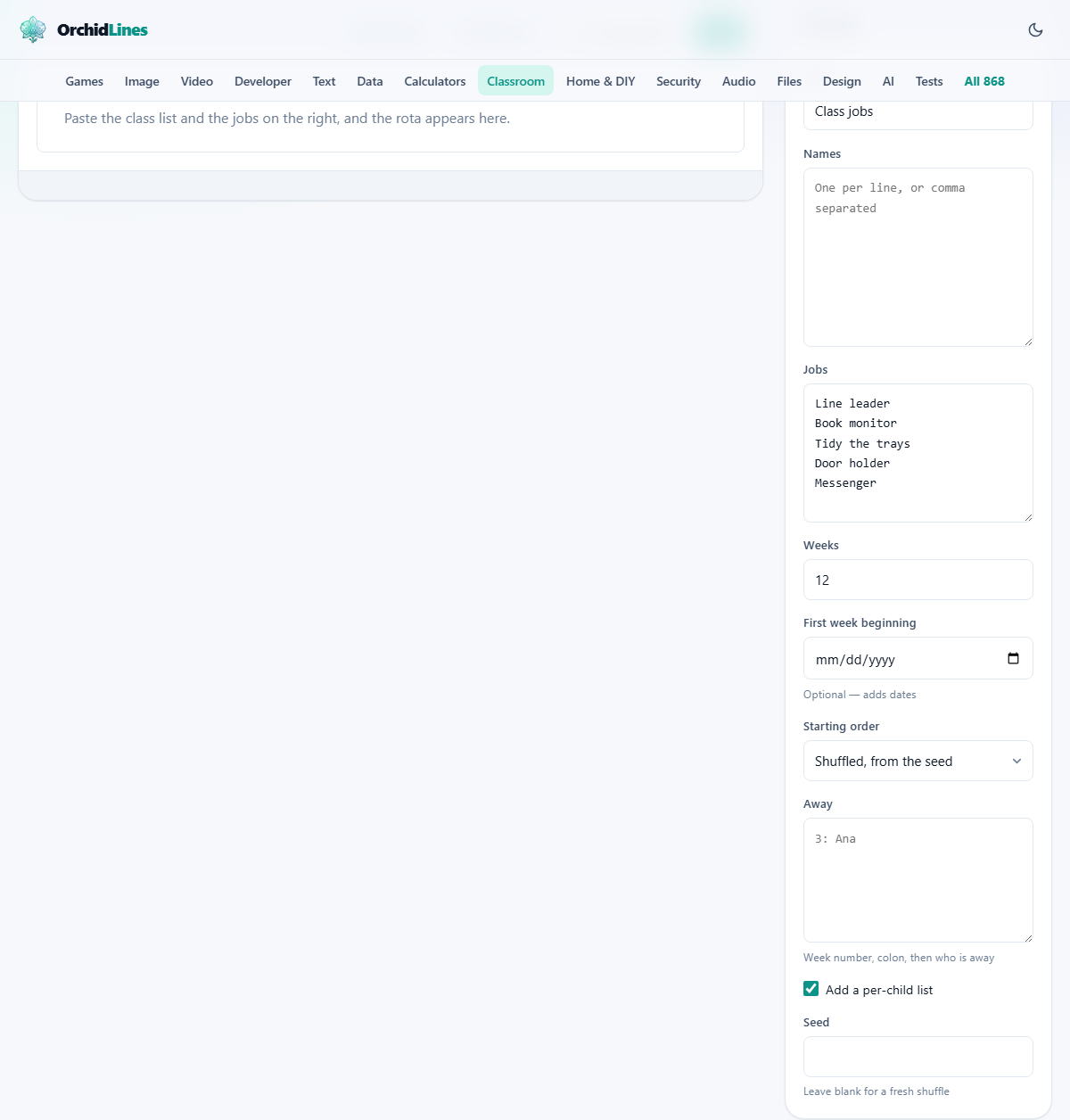
Title sets the heading on the printed rota. The default is 'Class jobs'. Change it to match the term or the class name.
Names takes one name per line, or several names separated by commas. Paste a register straight from a spreadsheet and it works. Jobs takes one job per line. The defaults are Line leader, Book monitor, Tidy the trays, Door holder, and Messenger. Change them to whatever your class actually does.
Weeks sets how many columns the rota spans. Twelve is a typical term. The maximum is 52 for a full school year.
First week beginning is optional. Add a date and every column in the rota is labelled with the Monday of that week. Leave it blank and the columns are numbered Week 1, Week 2, and so on.
Starting order has two choices. Shuffled, from the seed puts the names into a random order, controlled by the seed value. Exactly as I typed them keeps the list in whatever order you entered it, which is handy when the names are already in seating or register order.
Away handles absences. Type the week number, a colon, then the name of whoever is absent. For example, 3: Ana means Ana is away in week three. Her job passes to the next child in the queue for that week only, and she still gets her own turn later.
Add a per-child list is a checkbox, ticked by default. It prints a second section under the grid that tells each child when their turn is and what job they have. That section answers the daily question of 'when am I on?' without anyone needing to scan the full rota.
Seed controls the starting shuffle. Leave it blank for a fresh random order. Type it back in later and you get the identical rota, which matters when you need to reprint a torn poster.
The output: grid and per-child list
The preview builds a grid. Weeks run across the top, jobs down the side, and names fill the cells. If you added a start date, the week headings show the actual Monday. Below the grid sits the per-child list if that checkbox is on.
Three buttons appear above the preview. Shuffle again generates a new random starting order. Download .txt saves the rota as plain text. Print opens your browser's print dialog for paper or PDF.
A worked example: thirty children, five jobs, twelve weeks
A teacher pastes thirty names from a class register into the Names field. She keeps the five default jobs and sets Weeks to 12. She enters a start date of 1 September and ticks Skip weekends in her head by noting that weeks start on Mondays.
The grid appears. Week 1 shows the first five names against the five jobs. Week 2 shows the next five. By Week 6 every child has had exactly one turn. Week 7 starts the second pass through the queue, and the jobs themselves rotate so the same child does not end up on the same task twice.
Under the grid, the per-child list tells each child their weeks. She prints two copies. One goes on the classroom wall. One goes into her planning folder. The seed is noted at the bottom of the page, so she can rebuild the same rota if the poster is damaged.
Two weeks later, a child joins the class. She adds the name, rebuilds, and reprints from the current week forward. The queue shifts by one, but the cycle stays fair.
Why repeats happen and how to reduce them
Sometimes a child lands on the same job twice before landing on the others. This happens when the class size and the job count share a common factor. Thirty children and five jobs share the factor five, so every sixth turn loops back to the same job.
The fix is simple: add one more job, or take one away. Six jobs and thirty children do not share a factor, so the rotation clears and every child sees a different job each time. The rota checks itself after building and prints what it found, so you do not have to count the repeats by hand.
If changing the job count is not possible, you can also try a different seed. The shuffle reorders the queue, and some orderings spread the repeat further apart even when the maths says it must happen eventually.
Handling absences with the Away field
Write each absence on its own line in the format week colon name. For example, writing 5: Priya and 5: Sam on separate lines means both are marked away in week five. Their jobs pass to the next two children in the queue.
This does not break the cycle. The substitute gets a bonus turn that week, but both substitute and absent child still get their normal turn when it comes round. The absence is patched locally, not globally, so nothing else in the rota moves.
Things that catch people out
- Sharing one job between two children. The tool assigns one child per job per week. If you need two library helpers, write the job on two separate lines and two children fill it each week.
- More jobs than children. This is allowed. Eight children and ten jobs means eight jobs are filled each week and the other two rotate in later. Print more weeks so every job appears at least once.
- Forgetting the seed. If the poster on the wall is torn down and you do not know the seed, you cannot rebuild the same rota. Note it on the back of the display copy.
- Editing mid-term. Changing the name list or job list and rebuilding shifts the entire queue. Print the new rota only from the current week forward and keep the old one for the weeks already done.
When another tool fits better
- For a quiz with shuffled questions and an answer key, the Quiz and Test Maker handles that instead.
- For handwriting practice sheets with four-line ruled grids, the Handwriting Practice Sheets tool is the right page.
- For picking one name at random rather than cycling through the whole class, a random name picker or wheel spinner does that job.
Your names stay on your machine
The rota is built entirely inside your browser. No names, no jobs, and no dates are sent anywhere. There is no login, no cloud save, and no record of what you typed. You can load the page while offline and it works the same way. When you close the tab, the data is gone.